

Framer is usually the better template choice for design-led startups, portfolios, SaaS pages, and modern landing pages, while Wix is usually safer for small businesses that need bookings, stores, memberships, or lots of built-in site tools. Framer feels closer to a web design tool with publishing attached. Wix feels more like an all-in-one website builder with templates as the starting point.
TLDR: Framer templates are best when a site must look sharp, load cleanly, and feel custom without hiring a full design team. Wix templates are better when the owner needs built-in business features, such as scheduling, payments, forms, and email tools. For example, a solo consultant launching a five-page site could get online with Wix in one afternoon, while a SaaS founder might spend 30% more setup time in Framer but end up with a more polished landing page. If the goal is visual impact, Framer wins; if the goal is convenience, Wix has the edge.
Framer Templates vs Wix Templates: The Quick Difference
Framer templates are made for people who care about layout, motion, typography, and a clean product feel. Many templates look like they came from a boutique design studio. They suit landing pages, agencies, personal brands, portfolio sites, waitlists, and software companies.
Wix templates cover a much wider range of business types. Restaurants, salons, gyms, coaches, local services, photographers, online stores, and event brands all get ready-made options. Wix aims to help a business owner publish without thinking too much about design systems or responsive behavior.
The catch is that both platforms can look easy until edits get specific. Moving one section, changing a mobile layout, or replacing a template’s demo content can take longer than expected. Still, they serve different users, and that difference matters.
Design Quality and Visual Control
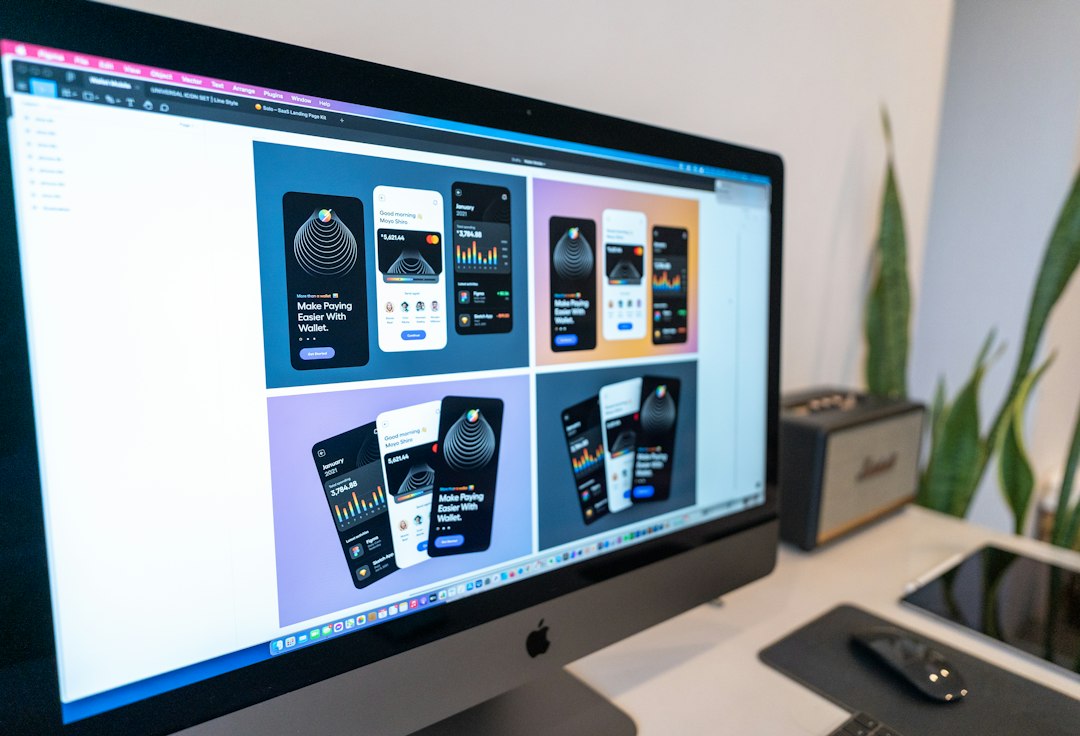
Framer has a clear advantage in visual quality. Its templates often use refined spacing, smooth animation, modern typography, and strong hero sections. This gives Framer sites a premium look right away. For startups and creators, that matters because first impressions are made in seconds.
Framer also gives more control over how a page feels. Designers can adjust breakpoints, components, hover states, and transitions with precision. A landing page can feel polished rather than assembled from blocks.
Wix templates are more varied. Some look excellent. Others feel generic or dated. Wix has improved its editor and template quality, but the platform still carries the weight of serving almost every possible business category. That broad coverage comes with tradeoffs.
For non-designers, Wix can feel friendlier at first. There are more obvious settings, more built-in sections, and fewer moments where the user must think like a product designer. For designers, Wix can feel boxed in. Framer feels more flexible, but it also expects better taste and more care.
Ease of Use
Wix is easier for complete beginners. A user can choose a template, swap text, add a logo, connect a domain, and publish. Many business features are already waiting inside the platform. Contact forms, booking tools, SEO settings, chat widgets, and payment options are close at hand.
Framer has a cleaner interface, but it can be less obvious for first-time users. Anyone who has used Figma will feel more comfortable. Someone coming from basic website builders may need time to understand frames, stacks, positioning, and reusable components.
Honestly, it feels like Framer punishes careless editing faster. A small layout change can affect mobile spacing or section alignment. Wix is more forgiving because its templates often guide the user through set patterns.
- Best for beginners: Wix
- Best for designers: Framer
- Best for fast business setup: Wix
- Best for polished landing pages: Framer
Template Variety and Use Cases
Wix has a larger template library. It covers many industries and practical needs. A yoga studio can find a template with class pages. A restaurant can find one with menus and reservations. A photographer can start with galleries and client pages.
Framer has fewer templates, but many are more stylish. The selection is strongest in tech, creator, agency, portfolio, app, and startup categories. These templates also tend to feel less cluttered. They often focus on conversion, storytelling, and visual trust.
For a local plumber, Wix makes more sense. For a venture-backed AI tool, Framer is a stronger fit. For a freelance designer, Framer can become part of the portfolio itself. For a bakery selling cakes online, Wix will likely save time.

Customization and Editing Limits
Framer gives stronger layout control. It is better for custom animations, layered sections, responsive refinements, and reusable components. This makes it useful for teams that want a custom-looking site without writing code.
Wix gives more business controls. It offers apps, content tools, and service features that reduce the need for outside software. The editor has many options, but deep visual customization can become messy. Expect to waste time on small alignment issues if the original template is pushed too far.
Framer’s limitation is functional depth. It is not the first choice for complex stores, large membership sites, or businesses that need many operational tools. Wix’s limitation is design ceiling. It can produce attractive sites, but Framer usually looks more refined in skilled hands.
SEO, Speed, and Performance
Both platforms support basic SEO. Users can edit titles, descriptions, URLs, alt text, and indexing settings. Wix has strong guidance for beginners and built-in SEO checklists. This helps small business owners avoid obvious mistakes.
Framer sites can be very fast and clean when templates are built well. The platform suits lightweight marketing pages and content that needs crisp presentation. It also supports CMS collections, which helps with blogs, changelogs, case studies, and directories.
Wix performance depends heavily on the template, apps, media files, and added features. A simple Wix site can run well. A Wix site loaded with apps, videos, popups, and third-party scripts can slow down. The same risk exists anywhere, but Wix users often add more tools because the marketplace makes it easy.
Pricing and Long-Term Value
Pricing changes over time, so each business should check current plans before choosing. In general, Wix bundles more business features into its paid plans and add-ons. Framer often feels better for teams that value design quality and lower visual production time.
A cheap template is not always cheaper in the end. If a Framer template reduces designer hours by 10 to 15 hours, it may pay for itself quickly. If a Wix template includes booking, payments, and email capture without extra setup, it may save even more for a service business.
Which Platform Should Different Users Choose?
- Startup founders: Framer is better for launch pages, waitlists, product pages, and investor-facing polish.
- Local service businesses: Wix is better for bookings, maps, reviews, contact forms, and service pages.
- Designers and freelancers: Framer offers stronger visual freedom and portfolio impact.
- Restaurants and salons: Wix is usually easier because menus, appointments, and payments are supported well.
- Bloggers and content brands: both can work, though Wix is simpler and Framer feels more premium.
- Online stores: Wix is the safer choice for most small shops.

Final Verdict
Framer templates win on design quality, animation, modern layouts, and brand feel. They are best for websites where visual trust affects signups, demos, or inquiries. A Framer site can make a small team look bigger and more serious.
Wix templates win on practical setup, built-in tools, and beginner comfort. They are best for owners who need a working business site more than a custom digital brand experience. Wix removes many technical chores that can slow down a launch.
The best choice depends on the job. If the site must impress, Framer is hard to beat. If the site must manage bookings, payments, and daily business tasks, Wix is usually the better pick.
FAQ
Are Framer templates better than Wix templates?
Framer templates are better for modern design, landing pages, portfolios, and startup websites. Wix templates are better for small businesses that need built-in tools like bookings, payments, chat, and store features.
Is Framer harder to use than Wix?
Yes, for most beginners. Wix is more guided and practical. Framer is easier for people with design tool experience, especially those familiar with Figma-style editing.
Can a business build a full website from a Framer template?
Yes. Framer templates can support full websites with multiple pages, CMS content, forms, and responsive layouts. They are less suited for complex stores or heavy business operations.
Is Wix better for ecommerce?
For most small online shops, yes. Wix has more built-in ecommerce tools, payment options, product settings, and business features than Framer.
Which platform is better for SEO?
Both can handle basic SEO well. Wix gives more beginner guidance, while Framer can produce clean, fast marketing pages when the template is built properly.
Who should choose Framer?
Framer suits startups, agencies, creators, SaaS companies, designers, and consultants who want a sharp visual identity and polished landing pages.
Who should choose Wix?
Wix suits restaurants, salons, coaches, local services, small stores, and business owners who want a practical site with fewer setup headaches.

