
Choose Uizard if you want the quickest path from rough idea to clickable low-fidelity prototype; choose Visily if your team needs more control, cleaner structure, and stronger collaboration around product flows. Both tools are useful for rapid prototyping, but they solve slightly different problems. Uizard feels faster for solo founders and early discovery. Visily feels steadier for product teams that need repeatable wireframes and stakeholder feedback.
TLDR: Uizard is better when speed matters most, such as turning a hand-drawn signup screen into an editable wireframe in minutes. Visily is better when a team needs consistent screens, reusable components, and clearer product logic across a full user journey. In a small product sprint, a team might use Uizard to create 5 first-pass screens in under 30 minutes, while Visily may save 20–30% review time later because flows are easier to organize and revise.
What these tools actually do
Uizard and Visily are AI-assisted design tools built for people who need interface ideas fast. They are not replacements for deep UX research, usability testing, or mature design systems. They are best used before high-fidelity design, when teams still ask basic questions: What should this screen contain? How should the flow work? Does this idea make sense?
Both tools can help create low-fidelity wireframes from prompts, screenshots, sketches, or templates. That makes them useful for founders, product managers, business analysts, UX designers, and software teams that need speed without opening a heavier design tool right away.
Uizard: best for fast first drafts
Uizard’s main strength is speed. It is built around getting from a rough concept to a visible screen quickly. You can describe an app idea, upload a sketch, or start from a template. The tool then generates editable screens that can be refined into a clickable prototype.
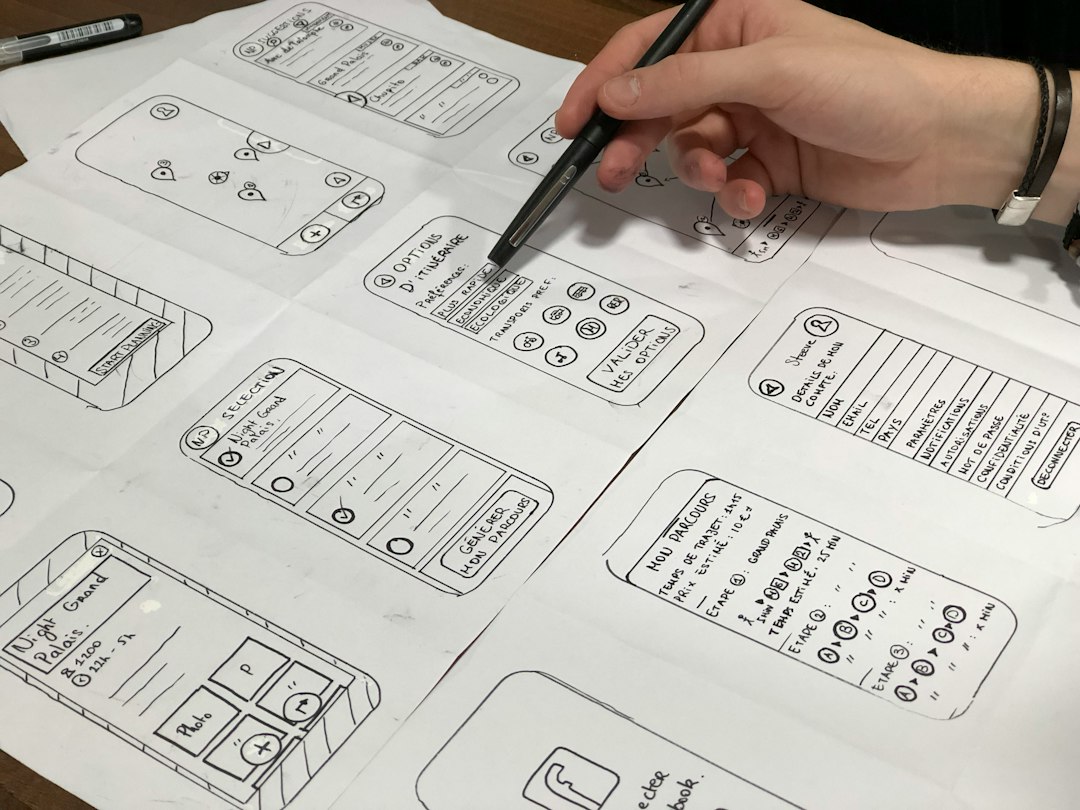
For early-stage work, this is a serious advantage. A founder can sketch a dashboard on paper, upload it, and get something that looks usable enough for an investor call or internal review. A product manager can type a prompt such as “mobile app onboarding flow for a budgeting app with three screens” and get a workable starting point.
Where Uizard performs well:
- Sketch to wireframe: It is helpful when ideas start on a whiteboard or in a notebook.
- Text to design: Prompt-based generation is useful for rough drafts and concept testing.
- Quick clickable prototypes: Links between screens are easy enough for basic demos.
- Non-designers: The interface is approachable for people who do not work in design every day.
The catch is that Uizard can feel too eager to make things look polished. For low-fidelity wireframes, that can be distracting. You may spend extra time stripping back colors, images, or decorative choices when all you wanted was a simple structure. It is not a deal breaker, but it can add five or ten minutes to a task that should feel instant.
Visily: best for structured product thinking
Visily is also fast, but it feels more controlled. It is especially useful when wireframes need to turn into a shared product artifact. Teams can use templates, screenshots, AI prompts, and reusable elements to shape flows that feel more consistent across screens.
Visily is strong when a product team already has a direction. For example, if you are building a CRM, booking tool, internal dashboard, or SaaS onboarding flow, Visily helps keep the structure clean. It is less about surprising you with a design and more about helping the team build a practical interface that can be discussed, edited, and handed off.
Where Visily performs well:
- Flow clarity: Screens are easier to organize into user journeys.
- Team collaboration: Comments, sharing, and editing feel suited to product reviews.
- Reusable patterns: Common layouts and UI blocks help maintain consistency.
- Business software wireframes: Dashboards, tables, forms, and admin screens are a good fit.
Honestly, it feels like Visily understands product screens better than many general AI design tools. It is not perfect. Some generated screens still need cleanup, and prompt results can vary. But the output often feels closer to something a product manager and developer can discuss without getting trapped in visual decoration.
Uizard vs Visily for low-fidelity work
Low-fidelity wireframes should be fast, plain, and easy to change. They should not create false confidence. The goal is to test structure, content, and flow before anyone argues about gradients or icons.
Uizard is stronger when:
- You need a visual concept immediately.
- You are working alone or in a very small team.
- You want to convert sketches into digital screens.
- You need a quick prototype for a meeting tomorrow.
- You are exploring several product ideas at once.
Visily is stronger when:
- You need to map a complete user flow.
- You are building internal tools or SaaS interfaces.
- Several stakeholders need to comment and revise.
- You want cleaner wireframe consistency across pages.
- You plan to hand work to designers or developers later.
If the task is “show me what this app could look like”, Uizard often wins. If the task is “help us agree on how this product should work”, Visily is usually the safer pick.
AI quality and prompt reliability
AI design generation is useful, but it still needs supervision. Neither tool should be treated as an automatic UX expert. Prompts can produce screens that look plausible while missing key user needs. A checkout flow might forget error states. A dashboard might show impressive charts without answering the user’s main question.
Uizard can generate more visually complete drafts from loose prompts. This helps in brainstorming sessions. But it may also push the work toward premature polish. Visily tends to produce more functional layouts, especially for common business workflows. That makes it easier to review information hierarchy and screen logic.
A practical test is simple. Ask both tools to create the same five-screen flow: signup, onboarding, dashboard, settings, and confirmation. Then judge the result by three criteria:
- How many edits are needed before review?
- Can a stakeholder understand the flow in under two minutes?
- Can a developer identify the main components and states?
In many cases, Uizard will feel faster during generation. Visily may feel better during review.
Collaboration and handoff
Rapid prototyping rarely happens in isolation. Even a rough wireframe needs feedback from users, founders, engineers, sales teams, or subject matter experts. This is where the difference becomes clearer.
Uizard works well for lightweight sharing and quick feedback. It is handy when one person owns the prototype and others just need to react. Visily is better when several people will make comments, compare versions, and refine screens over multiple review cycles.
For handoff, neither tool replaces a detailed design spec. Developers will still need behavior notes, edge cases, content rules, and responsive requirements. Still, Visily’s structured approach can make early technical conversations easier. Uizard works better as a conversation starter.
Which one should you use?
Use Uizard when you need momentum. It is a strong choice for startup pitches, discovery workshops, hackathons, early product concepts, and quick visual experiments. It reduces the blank-page problem and helps teams react to something concrete.
Use Visily when you need alignment. It is a strong choice for product managers, UX teams, and software teams building flows with forms, dashboards, roles, permissions, or repeated patterns. It helps turn scattered ideas into a clearer working model.
A sensible workflow is to use both at different stages. Start in Uizard for broad concept exploration. Move to Visily when the idea needs structure, comments, and cleaner flow logic. That combination can cut wasted design time without pretending AI can solve product strategy on its own.
Final verdict
Uizard is the better rapid ideation tool. It is quick, accessible, and useful when the goal is to get a rough product idea on screen fast. Visily is the better low-fidelity product planning tool. It gives teams more control when flows matter more than visual impact.
For serious rapid prototyping, the best choice depends on the meeting you are preparing for. If you need people to say, “Yes, that is the general idea,” use Uizard. If you need them to say, “Yes, that is how the product should work,” use Visily.

