
Figma is still the safer choice for high-fidelity interface design, while GetDesign.md fits teams that want AI to turn product notes into structured screens faster. The best pick depends on the stage of work. If a product team needs polished layouts, shared libraries, prototypes, and stakeholder review, Figma wins. If the team starts with messy requirements, user stories, or Markdown specs, GetDesign.md can cut the early design cycle down sharply.
TLDR: GetDesign.md is better for turning written product ideas into first-pass design direction, while Figma is stronger for visual execution and team review. For example, a six-person SaaS team could use GetDesign.md to create user flows and wireframe copy from a 900-word product brief in 20 minutes, then move the best ideas into Figma for final layout. In a realistic workflow, this may reduce early planning time by 30% to 40%, but Figma still carries the project when pixel accuracy matters. The smartest setup is often GetDesign.md first, Figma second.
What GetDesign.md Does Best
GetDesign.md is built around a simple idea: product design often starts as text. A founder writes a feature brief. A product manager writes acceptance criteria. A support team reports user pain. GetDesign.md treats that written input as the source for design output.
That makes it useful for AI-assisted product design at the discovery and structure stage. A team can feed it Markdown notes, product specs, user journeys, or feature lists. The tool can then help shape screens, flows, content blocks, UX logic, and possible interface states.
This is where it feels practical. Early design work is rarely glamorous. It is full of half-clear goals, missing edge cases, and repeated “what should this screen even do?” meetings. GetDesign.md helps put those thoughts into a cleaner format before a designer spends hours pushing frames around.
- Best for: product briefs, wireframe planning, AI-assisted UX structure, feature breakdowns.
- Weak for: rich visual styling, brand systems, advanced prototyping, detailed handoff.
- Main value: speed before visual design starts.
What Figma Still Does Better
Figma remains the standard option for interface design because it handles the visual side with far more depth. It supports components, variants, auto layout, design systems, comments, prototypes, developer inspection, and shared team files. That matters when a project moves from idea to production.
AI features in Figma can help with naming layers, generating UI ideas, writing copy, or speeding up repetitive tasks. Still, Figma’s core strength is not plain text interpretation. Its strength is visual control. Designers can tune spacing, hierarchy, color, responsiveness, and interaction detail.
Honestly, teams can waste time when they ask Figma to behave like a product strategy tool. It can hold notes. It can show flows. But forcing long product requirements into design boards often turns clean files into clutter. A designer may spend 12 extra seconds opening the right section, finding the right sticky note, and checking whether the comment still applies. That adds up across a week.
- Best for: polished UI, prototypes, design systems, team comments, developer handoff.
- Weak for: turning long written specs into structured design plans without manual cleanup.
- Main value: precision and collaboration.
GetDesign.md vs Figma: The Core Difference
The main difference is input style. GetDesign.md starts from text. Figma starts from canvas work. That single split changes the whole workflow.
GetDesign.md suits a product manager who thinks in requirements, goals, and user flows. Figma suits a designer who thinks in layout, spacing, states, and interaction. Neither approach is wrong. They solve different parts of the same messy process.
| Category | GetDesign.md | Figma |
|---|---|---|
| Primary input | Markdown, specs, prompts, product notes | Visual canvas, frames, components |
| Best stage | Discovery and early UX structure | High-fidelity design and review |
| AI role | Turns text into design direction | Assists visual work and cleanup |
| Collaboration | Good for product and content thinking | Strong for designers, engineers, and stakeholders |
| Output quality | Useful drafts and structured guidance | Production-ready interface assets |
Where GetDesign.md Can Save Time
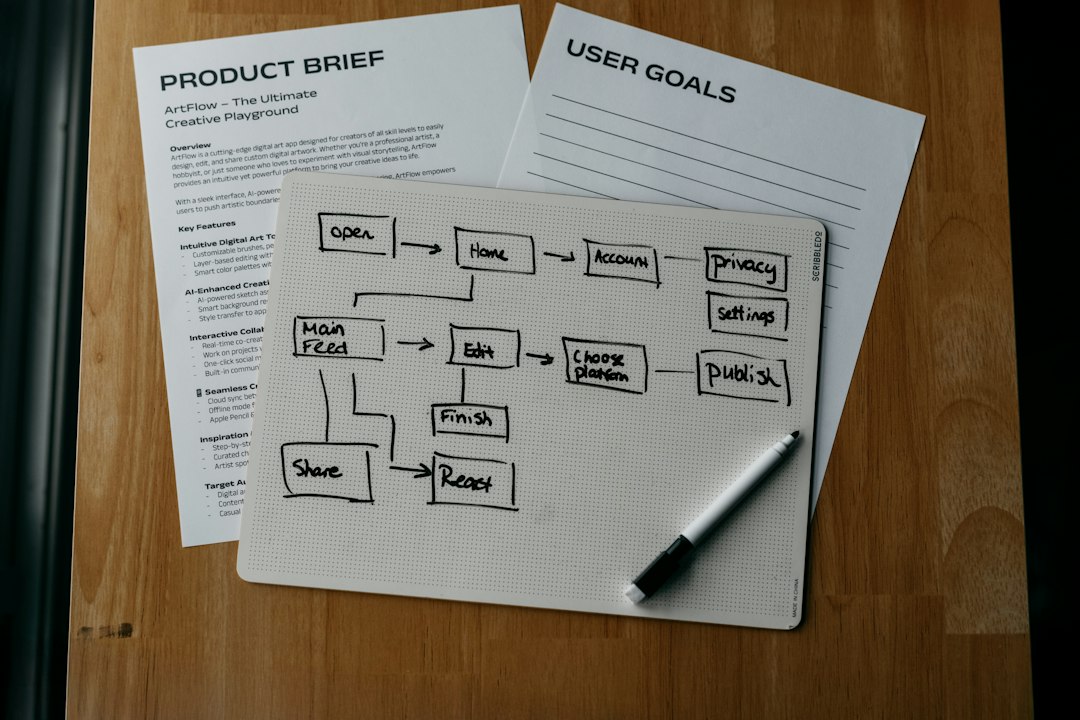
GetDesign.md is strongest when a team has not yet agreed on the shape of a feature. For example, a startup may want to build an onboarding flow. The product manager has a list of steps. The founder wants fewer fields. Support says users get confused by setup options. The designer has not opened a file yet.
In that case, GetDesign.md can produce a first pass of screens, UX notes, button labels, form sections, and user decision points. The team can review the logic before visual work starts. That prevents the classic problem: beautiful screens built on shaky requirements.
The catch is that the output still needs judgment. AI can create a neat flow that misses business limits, accessibility needs, or technical cost. A human designer still needs to question the structure. A product manager still needs to check the scope.
Where Figma Is Hard To Replace
Figma becomes hard to replace once the team needs design quality that can ship. AI can suggest layouts, but final screens need taste and consistency. A button must match the system. A mobile view must work at narrow widths. Empty states, loading states, errors, permissions, and edge cases need care.
Figma also gives teams a shared place to react. Engineers can inspect spacing. Stakeholders can comment on a prototype. Designers can maintain components across multiple products. This is where Figma earns its place. It turns interface work into a shared artifact everyone can discuss.
GetDesign.md may explain the screen. Figma proves how it looks and behaves.
Best Workflow: Use Both, Not One
The strongest workflow is not a fight between tools. It is a handoff. GetDesign.md can shape the rough thinking. Figma can turn that thinking into polished product design.
- Start in GetDesign.md with a product brief, goals, users, constraints, and required screens.
- Generate structure such as flows, screen outlines, UX copy, and possible states.
- Review the logic with product, design, and engineering partners.
- Move the strongest direction into Figma for layout, components, and prototype detail.
- Test and refine using feedback from users and internal teams.
This split keeps each tool in its lane. It also reduces rework. A team should not polish a screen before it knows whether the screen should exist.
Which Tool Should a Team Pick?
A team should pick GetDesign.md if it needs faster movement from written ideas to design structure. This is common in early startups, product discovery teams, and small groups that write detailed specs before design starts.
A team should pick Figma if it needs professional UI work, stakeholder review, interactive prototypes, design systems, or developer handoff. Most product teams that ship software will still need Figma or a similar visual design tool.
For AI-assisted product design, the real answer is simple: GetDesign.md helps decide what should be designed. Figma helps decide how it should look and work. Teams that understand that split will get more from both tools.
FAQ
Is GetDesign.md a replacement for Figma?
No. GetDesign.md is better seen as a planning and AI-assisted structure tool. Figma is still stronger for high-fidelity interface design, prototyping, and handoff.
Which tool is better for early product ideas?
GetDesign.md is usually better for early ideas because it can work from briefs, Markdown notes, and rough requirements. It helps organize thinking before visual design begins.
Which tool is better for final UI design?
Figma is better for final UI design. It gives designers control over layout, components, interactions, and design system rules.
Can product managers use GetDesign.md without a designer?
Yes, product managers can use it to create clearer feature drafts and user flows. Still, a designer should review the output before anything moves toward production.
What is the best workflow for AI-assisted product design?
The best workflow is to start with GetDesign.md for structure, then use Figma for visual design and collaboration. This keeps planning fast and final design precise.

