
You cannot cleanly export a Lovable project into Figma as an editable design file. Lovable is built to generate working apps, usually with React, Tailwind CSS, and connected data logic. Figma is built for visual design, collaboration, and handoff before code exists. They can sit in the same workflow, but they are not interchangeable.
TLDR: Lovable is better when you want a usable prototype or MVP fast, while Figma is better when you need polished design systems, pixel control, and stakeholder review. For example, a founder could build a five screen SaaS dashboard in Lovable in 4 to 6 hours, but may spend another 2 to 3 hours recreating the same screens in Figma for investor-ready visuals. There is no native “export to Figma” button that turns Lovable screens into clean, editable Figma layers. The practical workflow is usually Figma to Lovable, or Lovable to code, not Lovable to Figma.
Can you export Lovable to Figma?
The short answer is no, not in the way most designers mean it. You can export or sync Lovable projects to code, often through GitHub. You can inspect the app, copy styling ideas, take screenshots, or use third party HTML to Figma plugins. But that will not give you a tidy Figma file with named components, Auto Layout rules, design tokens, variants, and reusable styles.
That distinction matters. A screenshot in Figma is not a design system. An imported web page that turns into hundreds of messy layers is not much better. It drives me a bit crazy when teams call that an “export,” because the cleanup can take longer than rebuilding the design properly.
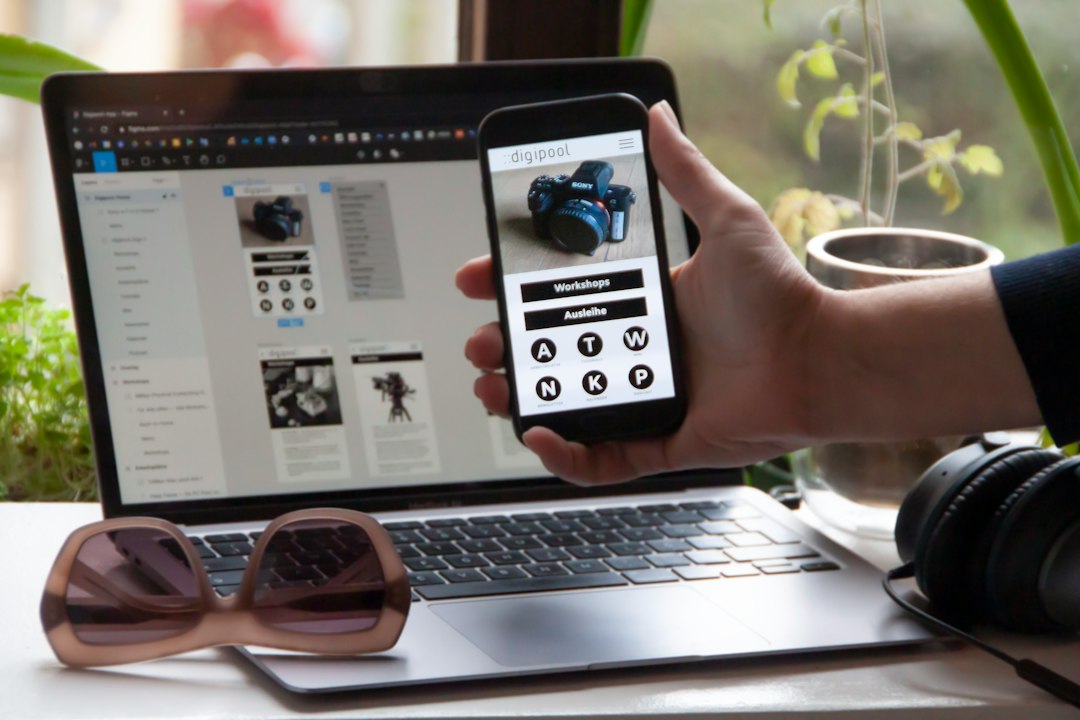
If your team expects a clean Figma file at the end, start in Figma. If your team expects a working web app at the end, Lovable may save time.
What Lovable is best at
Lovable is an AI app builder. You describe what you want, and it creates a functioning interface with code behind it. It is useful for founders, product managers, solo builders, and engineers who want to test an idea quickly.
Lovable shines when the question is: “Can this product work?” It helps you create login flows, dashboards, forms, landing pages, CRUD apps, and database-connected prototypes. It can also make quick changes from prompts, which feels great during early product thinking.
Common Lovable strengths include:
- Fast MVP creation: You can go from prompt to working interface in minutes.
- Code output: The result is closer to a real product than a static mockup.
- Full-stack thinking: It can include pages, states, data, auth, and interactions.
- Useful iteration: You can ask it to adjust layouts, add features, or refactor sections.
The weak spot is design precision. Lovable can produce attractive screens, but it is not built for disciplined visual systems. Expect to spend time fixing spacing, hierarchy, responsiveness, and edge cases. Sometimes a change that should take 10 seconds in Figma takes several prompts, a preview refresh, and a small sigh.
What Figma is best at
Figma is the stronger tool for visual design. It gives designers direct control over layout, typography, states, components, variants, grids, and design systems. It is also excellent for comments, approvals, workshops, and client reviews.
Figma shines when the question is: “What should this product look and feel like?” Designers can explore multiple directions, test flows, create prototypes, and hand off specs to developers.
Figma strengths include:
- Precise visual control: Every pixel, style, and component can be adjusted.
- Team collaboration: Comments, versions, and shared files are built in.
- Design systems: Components, variables, and styles keep interfaces consistent.
- Prototyping: Clickable flows are easy to make and share.
The tradeoff is that Figma does not create production-ready apps by itself. Yes, there are code export tools and plugins. Some are useful. Still, a polished Figma file is usually a plan for development, not the finished product.
Lovable vs Figma: the core difference
| Category | Lovable | Figma |
|---|---|---|
| Main purpose | Build working web apps with AI | Design interfaces and prototypes |
| Best user | Founder, PM, developer, solo builder | Designer, product team, agency |
| Output | Code and live app screens | Editable design files and prototypes |
| Strength | Speed to functional MVP | Design quality and consistency |
| Weakness | Less precise design control | No native production app output |

Can you move from Figma to Lovable?
This direction makes more sense. Many teams design core screens in Figma first, then use Lovable to turn the concept into a working app. Depending on the available import options, plugins, screenshots, or prompts, you can give Lovable strong visual guidance from a Figma design.
A good Figma to Lovable workflow looks like this:
- Create the main screens in Figma. Focus on layout, styles, and key states.
- Define the product behavior. Write what buttons, forms, and data views should do.
- Use Lovable to build the app. Prompt it with structure, user roles, pages, and design direction.
- Review the live output. Compare it against Figma and fix obvious mismatches.
- Export or sync code. Move into engineering review when the concept is stable.
This keeps each tool in its lane. Figma handles intent. Lovable handles execution. The less glamorous part is checking the result. AI-built interfaces often get 80% of the way there fast, then need human judgment for the last 20%.
Can you move from Lovable to Figma anyway?
Yes, but it is more of a workaround than a real export. You have a few options:
- Take screenshots: Fast, but not editable.
- Use an HTML to Figma plugin: Editable results vary. Layer names and structure can be messy.
- Rebuild manually: Slower, but often cleaner for serious design work.
- Copy styles: Use Lovable as inspiration, then recreate components in Figma.
Honestly, it feels like using a photocopy as a blueprint. It can help, but it is not the original source file. If the Lovable app has 12 screens and each screen takes 20 minutes to rebuild properly in Figma, you are looking at about 4 hours of cleanup. That may still be worth it if the app helped validate the idea first.
Which one should you start with?
Start with Lovable if speed matters more than visual polish. This is ideal for early MVPs, internal tools, startup demos, and product experiments. If you need users to click through real flows, submit forms, and see data change, Lovable is the better first move.
Start with Figma if brand, usability, and design approval matter first. This is the safer route for client projects, enterprise software, mobile app concepts, and products with a mature design system. Figma gives teams a shared visual source before anyone argues with code.
Use both if you have a product team. A designer can shape the experience in Figma, while a builder or engineer uses Lovable to create a working version. This reduces guesswork. It also helps teams spot gaps that static mockups hide, such as empty states, loading states, and awkward form logic.
The best design-to-code workflow
The cleanest workflow depends on the stage of the product. For rough ideas, go straight to Lovable. For funded products or client-facing work, begin in Figma. For teams that care about both speed and quality, use a loop:
- Sketch the idea in Figma or write a tight product brief.
- Build the first working version in Lovable.
- Test the flow with real users.
- Refine the winning screens in Figma.
- Clean up the code for production.
This may sound less magical than a one-click export, but it works. Design-to-code is not just about moving pixels. It is about turning product intent into usable software. Lovable and Figma both help, but they solve different problems.
The practical answer: do not expect Lovable to export to Figma cleanly. Use Lovable when you need a working product fast. Use Figma when you need a reliable design source. If you need both, plan for some manual translation between the two. Annoying? A little. But it is still faster than pretending one tool can do everything.

