
Video has become the backbone of modern content marketing, internal communication, and customer engagement. From short-form social clips to in-depth product explainers, audiences increasingly expect dynamic, visual storytelling across every platform. For content teams, this means more than just hitting “record.” It requires the right mix of strategy, creativity, editing power, and collaboration tools to consistently deliver high-quality results at scale. Choosing the right video creation tools can streamline workflows, boost creativity, and unlock entirely new storytelling possibilities.
TLDR: Today’s content teams need a flexible stack of video creation tools that cover planning, recording, editing, motion graphics, collaboration, and analytics. The best tools balance ease of use with professional-level features, allowing teams to produce polished content efficiently. From AI-powered editors to cloud-based collaboration platforms, modern solutions dramatically reduce production time while increasing creative potential. Investing in the right tools is no longer optional—it’s a competitive advantage.
1. AI-Powered Video Generators
Artificial intelligence has revolutionized video creation. AI-powered platforms can generate scripts, suggest visuals, create voiceovers, and even assemble entire videos based on simple text prompts. For fast-moving content teams, this dramatically cuts production time.
These tools are especially useful for:
- Social media clips with rapid turnaround requirements
- Explainer videos based on blog posts or articles
- Repurposing existing content into video format
- Localization with multilingual voiceovers and subtitles
Many AI video generators also include automated scene transitions, royalty-free visuals, and synthetic voice narration. While AI won’t replace human creativity, it acts as a powerful co-creator—handling repetitive tasks and freeing the team to focus on storytelling and strategy.

2. Professional Video Editing Software
Even with AI assistance, professional editing software remains essential. High-quality editing tools allow teams to control pacing, correct color, refine audio, and integrate motion graphics with precision.
Key features to look for include:
- Multi-track editing for complex timelines
- Color grading tools for consistent visual branding
- Audio enhancement capabilities for cleaner sound
- Integrated motion graphics support
- Export presets for various platforms
Advanced editing software is particularly important for long-form content such as webinars, online courses, YouTube series, or promotional campaigns. For teams with varied skill levels, it’s wise to combine a high-end editing solution with simpler tools for quick-turn projects.
3. Screen Recording and Presentation Tools
Screen recordings have become indispensable for tutorials, product demos, onboarding videos, and remote training sessions. A reliable screen capture tool allows teams to record presentations, annotate visuals, and highlight key interactions.
The best screen recording solutions offer:
- High-resolution capture with minimal lag
- Webcam overlay options for personal engagement
- Built-in editing features
- Easy sharing and cloud storage integration
These tools are especially valuable for SaaS companies and internal communications teams. Instead of writing lengthy instructions, teams can demonstrate solutions visually—improving clarity and reducing support requests.
4. Motion Graphics and Animation Platforms
Animated elements bring energy and clarity to video content. Whether it’s animated titles, logo reveals, data visualizations, or full character-driven stories, motion graphics tools expand creative possibilities.
Content teams should consider platforms that provide:
- Pre-built animation templates for quick customization
- Drag-and-drop interfaces for non-designers
- Flexible typography controls
- Brand kit integration for consistent visuals
Animated videos are particularly effective for simplifying complex concepts, showcasing statistics, or explaining abstract services. They also perform well on social media because their movement naturally draws attention in crowded feeds.
5. Collaboration and Review Tools
Creating great video content is rarely a solo effort. Writers, editors, designers, marketers, and executives often collaborate on a single piece. Without the right review system, feedback can quickly become chaotic and slow down production.
Modern video collaboration platforms typically include:
- Frame-specific comments for precise feedback
- Version history tracking
- Approval workflows
- Cloud-based sharing for remote teams
Instead of emailing large files or juggling disconnected feedback threads, teams can centralize communication. This speeds up revisions, improves clarity, and reduces misunderstandings—especially in distributed work environments.
6. Stock Media Libraries
Not every project requires original footage. Stock video, imagery, music, and sound effects libraries help teams elevate production value without scheduling complex shoots.
High-quality stock libraries provide:
- 4K and HD footage across diverse industries
- Royalty-free music tracks for various moods
- Sound effects to enhance realism
- Cultural and geographic diversity in visuals
While originality remains important, stock assets can fill production gaps and fast-track turnaround times. The key is thoughtful integration—select clips that reinforce your message rather than distract from it.
7. Live Streaming and Webinar Platforms
Live video has become a cornerstone of audience engagement. Product launches, Q&A sessions, virtual conferences, and training workshops all benefit from reliable live streaming tools.
When evaluating platforms, content teams should prioritize:
- Stable streaming performance
- Audience interaction features like chat and polls
- Recording and replay functionality
- Multi-platform broadcasting
Live formats humanize brands and foster real-time connection. When paired with post-event editing tools, live sessions can also be repurposed into shorter clips, highlight reels, or on-demand courses—maximizing ROI from a single event.
8. Captioning and Accessibility Tools
Accessibility is no longer optional. Captioning tools ensure that videos can be understood without sound and accessed by audiences with hearing impairments. They also improve engagement, as many viewers scroll social media with audio muted.
Effective captioning solutions offer:
- Automatic speech recognition with high accuracy
- Editable transcripts
- Style customization for brand alignment
- Multi-language support
Adding captions boosts reach, retention, and inclusivity. In many regions, it also supports compliance with accessibility regulations. For global brands, translation features open doors to broader markets.
9. Analytics and Performance Tracking Tools
Creating video is only half the equation. Measuring performance is what turns content into actionable insight. Analytics platforms help teams understand what resonates, where viewers drop off, and how content contributes to broader marketing goals.
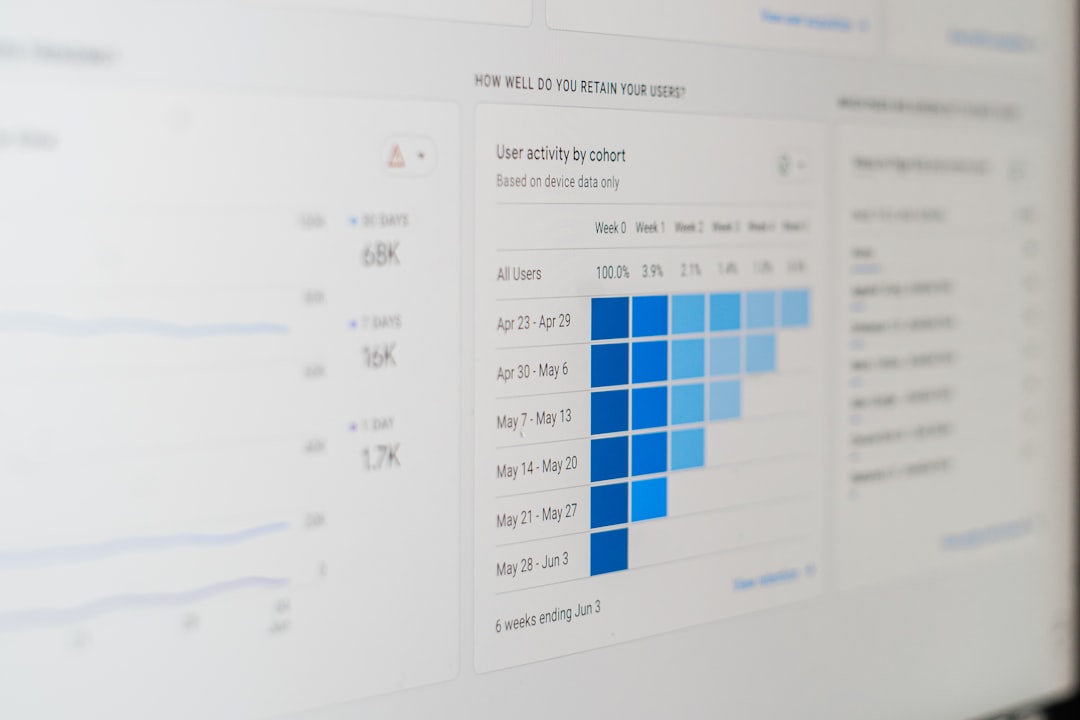
Look for tools that provide:
- Watch time and retention metrics
- Click-through rates
- Engagement data such as comments and shares
- Conversion tracking integrations
Data-driven insights allow content teams to refine formats, experiment intelligently, and allocate resources more effectively. Instead of guessing, teams can iterate strategically.
10. Cloud Storage and Asset Management Systems
As video libraries grow, so does the challenge of organization. Without a structured system, teams waste valuable time searching for files or recreating assets that already exist.
Digital asset management solutions enable:
- Centralized video libraries
- Searchable tags and metadata
- Permission controls for secure access
- Easy file sharing across departments
A well-organized asset system ensures consistent branding and accelerates production cycles. It also makes repurposing older content significantly easier—helping teams extend the lifespan of their work.
Building a Balanced Video Technology Stack
Not every team needs every tool. The ideal setup depends on content volume, complexity, team size, and distribution channels. However, a balanced stack typically includes:
- One advanced editing platform
- One AI-powered rapid creation tool
- A collaboration and review system
- Stock and asset management access
- Analytics tracking capabilities
Integration is just as important as individual features. Tools that connect seamlessly reduce friction and simplify workflows. For example, direct exports from editing software to hosting platforms or automatic caption syncing can save hours per week.
The Future of Video Creation for Content Teams
The future of video production lies in speed, personalization, and scalability. AI will continue to evolve, real-time collaboration will expand, and immersive formats like interactive and vertical-first videos will grow in importance.
Content teams that invest in adaptable, forward-thinking tools will be better positioned to capitalize on these trends. By combining creativity with technology, teams can produce compelling videos faster, collaborate more effectively, and achieve measurable impact.
Ultimately, the right video creation tools don’t just make production easier—they elevate storytelling. And in a digital landscape saturated with content, powerful storytelling makes all the difference.

