

For ecommerce retailers with physical stores, local inventory is no longer a secondary channel. Shoppers routinely search online before visiting a store, and they expect product availability, pricing, pickup options, and store details to be accurate. A well built local inventory integration connects your ecommerce platform, point of sale system, inventory database, and Google Shopping feeds so customers see reliable information wherever they start their journey.
TLDR: Local inventory integration helps retailers show accurate in store product availability across ecommerce and Google Shopping. The process requires clean product data, reliable store level stock updates, properly configured Google Merchant Center feeds, and ongoing monitoring. The most important success factors are data consistency, update frequency, and operational discipline. When done correctly, it improves store visits, pickup orders, and customer trust.
Why local inventory integration matters
Local inventory integration bridges the gap between online discovery and offline purchasing. A customer searching for “running shoes near me” may not want delivery in three days; they may want to know whether a nearby store has their size today. Google Shopping and local listings can surface that information, but only if your systems provide accurate and timely data.
For retailers, this creates measurable business value. It can increase qualified store traffic, reduce customer service inquiries, support buy online pickup in store, and make advertising spend more efficient. However, poor integration can have the opposite effect. If Google shows an item as available and the customer arrives to find it out of stock, the damage to trust can be significant.

Core systems involved
A reliable local inventory setup usually depends on several connected systems. Each one must use compatible product identifiers and exchange data correctly.
- Ecommerce platform: Manages product pages, online pricing, checkout, and sometimes pickup options.
- Point of sale system: Records in store purchases and returns, often serving as the most current source of store level stock.
- Inventory management system: Centralizes stock quantities across warehouses, stores, and fulfillment locations.
- Google Merchant Center: Receives product and local inventory feeds for Google Shopping, free listings, and local inventory ads.
- Feed management tool or middleware: Transforms, validates, and schedules data between internal systems and Google.
The objective is not simply to “send inventory to Google.” The objective is to create a dependable flow of product, location, price, and availability data that reflects reality as closely as possible.
Prepare your product data first
Before connecting inventory feeds, verify that your product catalog is clean. Google relies on structured product information to match listings with shopper searches and to determine eligibility. At minimum, review product titles, descriptions, images, prices, brand names, GTINs, MPNs, categories, and condition values.
Product identifiers are especially important. The same SKU, item ID, or variant ID should connect your ecommerce catalog, POS records, inventory system, and Google feed. If one system treats a black medium jacket as one item and another combines all colors and sizes under a single parent SKU, stock accuracy will suffer.
Retailers should also define which products are eligible for local listings. Some items may be sold online only, while others may be store only, restricted, seasonal, or unavailable for pickup. Document these rules in advance so they can be automated instead of handled manually.
Set up Google Merchant Center correctly
Google Merchant Center is the control point for product visibility across Google Shopping surfaces. For local inventory, you typically need a primary product feed and a local inventory feed. Depending on your market and setup, you may also need store codes, business profiles, and verification steps for local inventory ads.
The primary product feed contains general product information such as title, image, price, link, brand, and identifiers. The local inventory feed provides store specific details such as store code, item ID, quantity, availability, and local price where applicable. These feeds must align precisely. If the item ID in the local feed does not match the item ID in the product feed, Google may reject or ignore the entry.
Use Merchant Center diagnostics routinely. Feed errors, missing identifiers, policy issues, and mismatched landing pages can prevent products from appearing. Treat diagnostics as an operational dashboard, not a one time setup checklist.
Design the inventory data flow
Inventory changes constantly. Sales, returns, transfers, damaged goods, receiving delays, and manual adjustments all affect availability. A serious integration plan should define where inventory truth lives and how often updates are sent.
For many retailers, the POS or inventory management system is the source of truth for physical store stock. Ecommerce platforms may then consume that data for pickup promises, while Google receives a filtered and formatted version through scheduled feeds or API updates.

Consider the following update frequency guidelines:
- High velocity products: Update several times per day or through near real time API connections.
- Moderate velocity products: Update at least daily, preferably more often during peak seasons.
- Low velocity products: Daily updates may be sufficient, provided stock counts are reliable.
- Promotional or limited stock items: Use conservative availability rules to avoid overselling or disappointing customers.
Do not publish exact quantities unless your systems are accurate enough to support them. In many cases, availability status such as in stock, limited availability, or out of stock is safer than exposing precise unit counts.
Map store locations and pickup options
Store information must be consistent across your website, Google Business Profile, Merchant Center, and internal systems. Store codes are particularly important because Google uses them to connect inventory records to physical locations.
Each store should have a unique and stable code. Avoid changing store codes during platform migrations unless absolutely necessary. If a code changes, historical data, feed matching, and reporting can become unreliable.
If you offer pickup, clearly define the operational meaning of each promise. “Available today,” “pickup tomorrow,” and “ship to store” are not the same thing. Your ecommerce checkout, product pages, local inventory listings, and staff procedures should all reflect the same fulfillment logic.
Validate before going live
Testing is essential. Start with a limited product set and a small number of stores. Confirm that product IDs match, pricing displays correctly, stock status is accurate, and landing pages meet Google requirements. Then compare Google’s view of availability against your internal inventory and actual store shelf checks.
A practical validation process should include:
- Export a sample of products from your inventory system.
- Confirm that each item exists in the ecommerce catalog and Google product feed.
- Check that store codes match approved locations.
- Review Merchant Center feed errors and warnings.
- Perform physical spot checks in selected stores.
- Search for listings as a customer would and confirm the displayed information.
This phase often reveals hidden issues, such as outdated POS data, duplicate SKUs, inconsistent variant naming, or pricing differences between web and store systems. Resolve these before expanding the integration.
Monitor performance and accuracy
Local inventory integration is not a “set and forget” project. It requires ongoing monitoring by ecommerce, store operations, merchandising, and technical teams. Establish ownership for feed health, stock accuracy, product eligibility, and incident response.
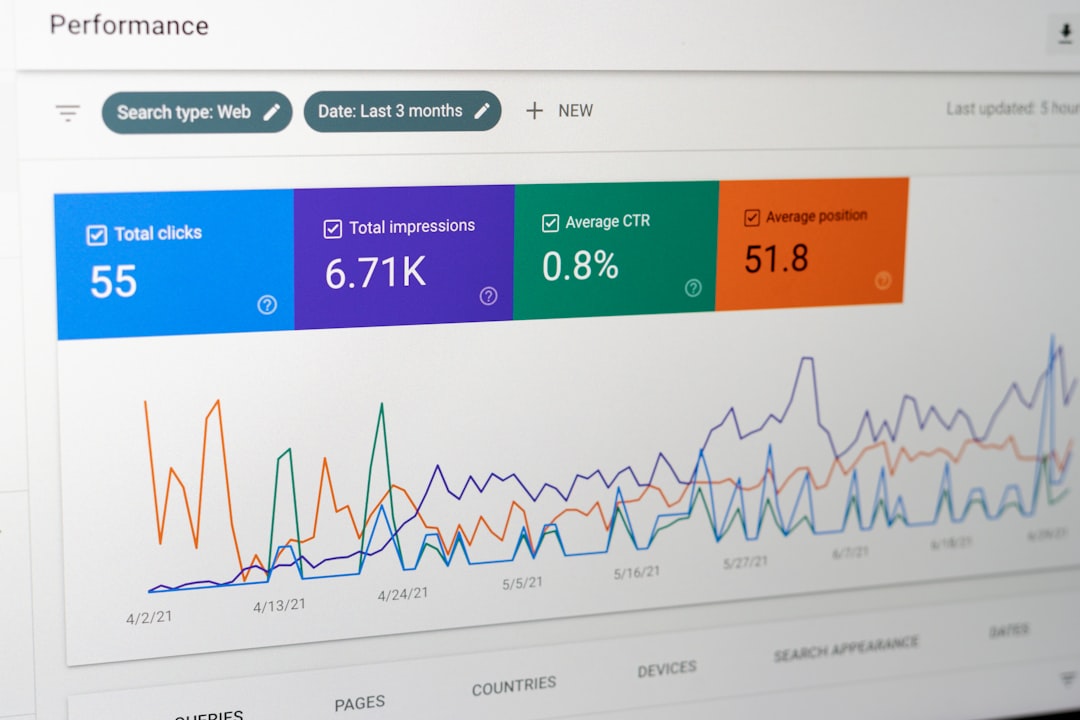
Important metrics include feed approval rate, product disapprovals, click through rate, local listing impressions, pickup conversion rate, store visit indicators, cancellation rate, and customer complaints related to availability. If pickup cancellations or “item not found” incidents rise, investigate inventory accuracy immediately.
It is also wise to create alerting for abnormal feed behavior. A sudden drop in item count, missing stores, zero inventory across many locations, or a price mismatch should trigger review before customers are affected.
Common mistakes to avoid
- Using inconsistent identifiers: Mismatched SKUs or variant IDs are among the most common causes of integration failure.
- Updating too slowly: Infrequent feeds create stale availability data, especially for popular products.
- Ignoring store operations: Technology cannot compensate for poor receiving, cycle counting, or shelf management.
- Overpromising pickup availability: Conservative rules are better than disappointed customers.
- Neglecting diagnostics: Merchant Center warnings often indicate issues that will become larger later.
Final recommendations
A successful local inventory integration depends on disciplined data management and realistic operational design. Begin by cleaning product data, aligning identifiers, and confirming store level stock reliability. Then configure Google Merchant Center feeds carefully, test with a controlled rollout, and monitor continuously.
For ecommerce retailers, the reward is substantial: better visibility in local shopping moments, stronger customer confidence, and more effective use of both online and physical assets. The retailers that benefit most are those that treat local inventory not as a marketing add on, but as a core part of their commerce infrastructure.

