
An RTMP IPTV encoder turns camera video into internet-ready streams that IPTV platforms can receive, restream, and deliver to viewers on TVs, phones, browsers, and set-top boxes. It takes raw video from HDMI, SDI, USB, or IP cameras, compresses it in real time, wraps it in a streaming protocol such as RTMP, and sends it to a media server or IPTV headend. If the encoder is configured well, viewers see clean video with stable audio and low delay. If it is configured badly, you get buffering, lip-sync issues, pixel mush, or streams that simply refuse to start.
TLDR: An RTMP IPTV encoder captures live video, compresses it with codecs such as H.264 or H.265, then sends it over RTMP to an IPTV server for distribution. For example, a church streaming a 1080p service may encode at 5 Mbps, send one RTMP feed to its IPTV provider, and reach 2,000 viewers through HLS playback. A good setup can reduce bandwidth use by 40–60% compared with uncompressed video while keeping quality high. The key is matching resolution, bitrate, frame rate, and protocol to the viewing device and network.
What an RTMP IPTV Encoder Actually Does
An RTMP IPTV encoder sits between your video source and your streaming platform. Think of it as a translator. Cameras create huge video signals. Networks hate huge video signals. The encoder shrinks that signal, packages it, and sends it where it needs to go.
The workflow usually looks like this:
- Capture: The encoder receives video from a camera, switcher, decoder, or media player.
- Encode: It compresses the video using H.264, H.265, or another codec.
- Package: It wraps the stream in RTMP or another transport format.
- Send: It pushes the stream to an IPTV server, CDN, or streaming platform.
- Distribute: The IPTV system converts or restreams the feed to viewers.

RTMP stands for Real Time Messaging Protocol. It was built for low-latency media transfer and is still widely used for sending live feeds from encoders to streaming servers. Viewers usually do not watch RTMP directly anymore. Instead, the platform often converts the RTMP input into HLS, MPEG DASH, or multicast IPTV formats for playback.
Live Video Encoding: The Core Process
Live encoding is not just “saving a video smaller.” It happens instantly. Every frame must be processed, compressed, and sent without falling behind. That is why encoder hardware matters.
A live encoder analyzes each frame and decides what can be kept, reduced, or removed. A still background does not need to be fully redrawn every frame. A moving presenter does. The codec tracks motion, color, detail, and changes over time. This keeps file size low while preserving the parts viewers notice most.
The most common codecs are:
- H.264 AVC: The safest choice. It works on almost every IPTV box, smart TV, browser, and mobile device.
- H.265 HEVC: More efficient than H.264. It can offer similar quality at lower bitrates, but device support is less universal.
- AAC audio: A common audio codec for live streaming. It gives clear sound at modest bitrates.
Honestly, it feels like some encoders bury these settings three menus deep for no good reason. You may spend 20 minutes fixing a stream only to find the audio sample rate was set to 32 kHz instead of 48 kHz. Small mistakes can break playback on picky IPTV devices.
Why RTMP Is Still Used for IPTV
RTMP remains popular because it is simple, stable, and well supported by encoders and streaming servers. A typical RTMP URL looks like a server address plus a stream key. The encoder pushes the video feed to that address, and the platform receives it as a live source.
RTMP is mainly used for ingest. That means it carries the stream from the encoder to the server. After that, the IPTV platform may convert it into:
- HLS: Common for phones, tablets, smart TVs, and browsers.
- MPEG DASH: Used for adaptive streaming across many devices.
- UDP or RTP multicast: Common in hotels, campuses, hospitals, and telecom IPTV networks.
- SRT: Used when networks are unstable and error correction is needed.
The catch is that RTMP is not the best final delivery format for large public audiences. It was not designed for modern browser playback at scale. That is why IPTV systems often accept RTMP at the front door, then repackage it for mass delivery.
Bitrates, Resolution, and Frame Rate
Bitrate controls how much data the stream uses per second. Higher bitrate usually means better quality, but it also needs more upload speed and more delivery bandwidth. Too low, and the image falls apart. Too high, and viewers buffer.
Common live IPTV encoder settings include:
- 720p at 30 fps: 2.5 to 4 Mbps for general events, lectures, and houses of worship.
- 1080p at 30 fps: 4 to 6 Mbps for sharper live broadcasts.
- 1080p at 60 fps: 6 to 9 Mbps for sports, gaming, or motion-heavy content.
- 4K at 30 fps: 15 to 25 Mbps, depending on codec and motion.
For audio, 128 kbps AAC stereo is fine for speech and basic programming. Music and sports may sound better at 160 to 256 kbps. Use 48 kHz audio sampling when possible, since many video systems expect it.
A safe rule is to keep your upload speed at least double your streaming bitrate. If your encoder sends a 5 Mbps stream, use an upload connection that can sustain 10 Mbps or more. Do not trust a single speed test taken at 9 a.m. Networks change. Test during the actual event window.
CBR vs VBR Encoding
Encoders usually support CBR and VBR. CBR means constant bitrate. The stream tries to stay near one fixed rate. This is useful for IPTV systems because bandwidth planning is easier.
VBR means variable bitrate. The encoder uses more data during complex scenes and less during simple ones. It can give better quality at the same average bitrate, but it may cause peaks that stress weak networks.
For managed IPTV networks, CBR is often the cleaner choice. For cloud streaming to an adaptive platform, VBR may work well. If in doubt, start with CBR, a two-second keyframe interval, and H.264. Boring settings often save the day.
How IPTV Distribution Works After Encoding
Once the RTMP feed reaches the IPTV platform, the server takes over. It may record the stream, transcode it into multiple quality levels, add captions, insert ads, apply access rules, or pass it into a channel lineup.
For public streaming, the server often creates an adaptive bitrate ladder. That means one live feed becomes several versions, such as 1080p at 6 Mbps, 720p at 3 Mbps, and 480p at 1.2 Mbps. Viewers with strong connections get the sharp feed. Viewers on weaker networks get a lighter one instead of endless buffering.
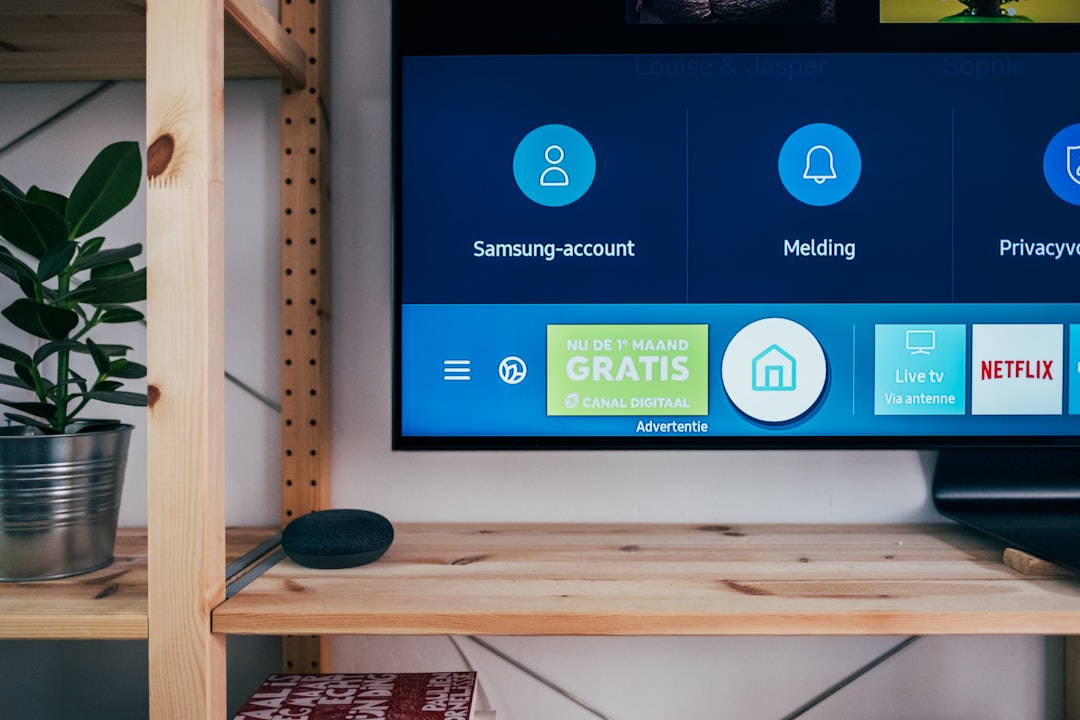
For private IPTV, distribution may stay inside a controlled network. A hotel might send channels to room TVs through multicast. A university might deliver campus events to lecture halls and digital signage screens. A company might stream CEO briefings to staff through authenticated apps.
Hardware vs Software Encoders
Hardware encoders are dedicated boxes. They are stable, quiet, and built to run for hours or days. Many support HDMI or SDI input, dual network ports, and multiple simultaneous streams. They are common in broadcast rooms, venues, schools, and enterprise IPTV setups.
Software encoders run on a computer. They are flexible and cheaper to start with. Tools such as OBS-style applications can mix cameras, titles, graphics, and screen captures. The downside is that computer updates, driver conflicts, and CPU spikes can ruin your day. Nothing feels worse than a forced update five minutes before a live program.
Practical Setup Tips
- Use wired Ethernet instead of Wi-Fi for the encoder.
- Match the camera output to the encoder input format.
- Set audio to AAC, 48 kHz, and test lip sync.
- Use H.264 for maximum device support.
- Set keyframes every two seconds for HLS compatibility.
- Run a private test stream before the real event.
- Monitor dropped frames, CPU load, and outgoing bitrate.
An RTMP IPTV encoder is the quiet workhorse of live streaming. It converts raw video into a format your IPTV system can handle, then sends it to the right server for delivery. Get the protocol, bitrate, codec, and network right, and the whole chain feels smooth. Skip the testing, and the encoder will remind you at the worst possible time.

