
Choosing the right photo editing software is no longer a simple technical decision—it directly affects your workflow, productivity, file security, and creative control. Whether you are a hobbyist enhancing vacation photos, a content creator managing daily visuals, or a professional photographer delivering client work, the decision between online and desktop photo editors deserves careful consideration. Both options have evolved significantly over the years, offering powerful tools that were once limited to high-end professional software.
TLDR: Online photo editors are convenient, accessible from anywhere, and often affordable, making them ideal for casual creators and fast workflows. Desktop editors provide stronger performance, advanced tools, and better handling of large or complex files, making them suitable for professionals. Your choice depends on your project complexity, internet reliability, budget, and need for mobility. There is no universal winner—only the right solution for your specific needs.
Understanding Online Photo Editors
Online photo editors run directly in your web browser. There is no installation required, and your files are either processed in the cloud or temporarily handled by the web application. Over the past decade, browser-based tools have grown from basic cropping utilities into sophisticated design platforms capable of layered editing, AI enhancements, and collaborative workflows.

Advantages of Online Photo Editors
- Accessibility: Work from any device with an internet connection. Log in from home, office, or while traveling.
- No installation required: Eliminates compatibility concerns and reduces setup time.
- Automatic updates: New features and bug fixes appear instantly without manual downloads.
- Collaboration features: Easier file sharing and team-based editing.
- Lower upfront cost: Many operate on affordable subscription models or offer free tiers.
Limitations of Online Photo Editors
- Internet dependency: Slow or unstable connections disrupt workflow.
- Performance constraints: Large RAW files or complex layered projects may lag.
- Limited advanced controls: Some high-end retouching or color grading tools may be simplified.
- Data privacy concerns: Uploading sensitive client images to cloud servers may present compliance risks.
Online editors are particularly suitable for social media managers, bloggers, marketers, and small businesses that prioritize speed and convenience over deep technical manipulation.
Understanding Desktop Photo Editors
Desktop photo editors are installed directly onto your computer. They rely on local processing power, including CPU and GPU resources, to execute editing tasks. Traditionally favored by professional photographers, designers, and retouchers, desktop software remains the gold standard for intensive editing projects.
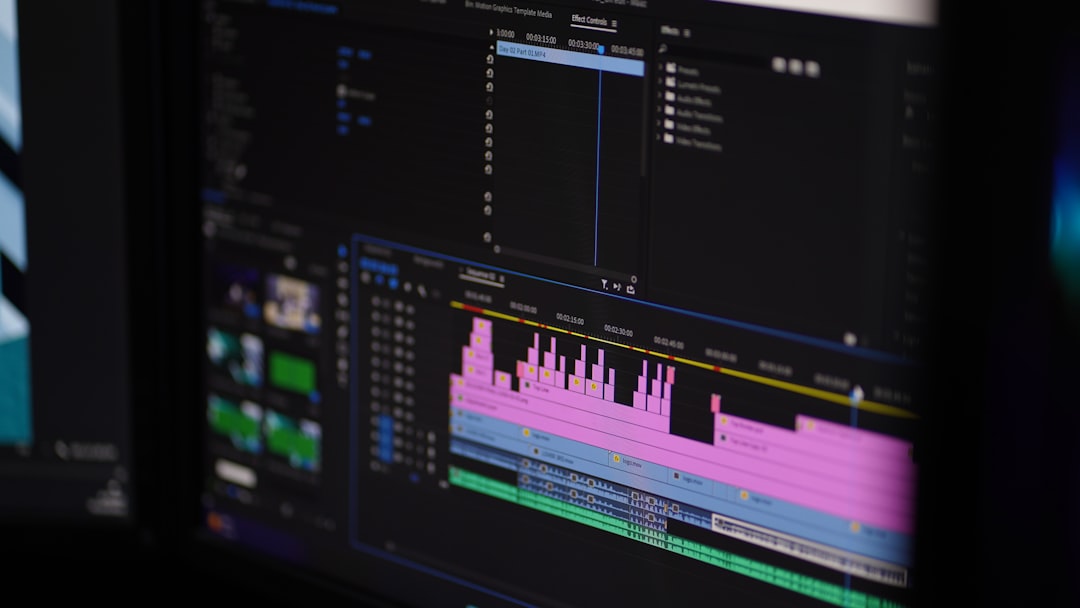
Advantages of Desktop Photo Editors
- Higher performance: Handles large RAW files, multi-layer compositions, and batch processing efficiently.
- Advanced toolsets: Greater control over color grading, masking, retouching, and compositing.
- Offline functionality: No internet connection required once installed.
- Enhanced file security: Files remain stored locally.
- Plugin support: Expandable capabilities through third-party integrations.
Limitations of Desktop Photo Editors
- Hardware requirements: Requires a powerful computer for optimal performance.
- Installation and updates: Manual management may be required.
- Higher upfront cost: Some professional licenses can be expensive.
- Limited mobility: Access usually confined to a specific machine.
Desktop editors are ideal for photographers working with RAW images, graphic designers creating print materials, and agencies handling technically demanding projects.
Performance and Speed Comparison
Performance is often the defining factor between online and desktop platforms. Desktop software leverages your computer’s internal processing power. This enables fast rendering, complex layer management, and smoother handling of high-resolution images.
Online editors, while increasingly powerful, rely on browser efficiency and internet bandwidth. Although many platforms now incorporate AI acceleration and cloud computing, intensive operations like detailed retouching or large panorama stitching may still feel constrained compared to desktop environments.
If your daily workflow involves hundreds of RAW images or multi-gigabyte design files, desktop editing will likely deliver a more reliable experience.
Feature Depth and Creative Control
Modern online editors now include:
- Layer-based editing
- AI background removal
- Preset filters
- Basic retouching tools
- Typography and template systems
However, desktop editors typically provide:
- Advanced masking techniques
- Professional color grading panels
- High-end retouching controls
- Precise brush customization
- Detailed export settings for print production

The difference is not merely the number of tools available but the level of customization and precision. Professionals often require minute adjustments that online platforms may simplify or automate.
Cost Considerations
Budget plays a significant role in decision-making. Online editors frequently offer:
- Free entry-level plans
- Low-cost monthly subscriptions
- Scalable pricing for teams
Desktop software often involves:
- Higher subscription costs or one-time license fees
- Potential hardware upgrade expenses
- Paid plugin ecosystems
While desktop solutions may appear more expensive initially, they can deliver superior long-term value for professionals who rely heavily on editing for income.
Security and File Privacy
If you work with confidential materials—such as client portraits, commercial campaigns, or sensitive documentation—file security becomes critical. Desktop editors offer stronger control because files remain stored locally unless you choose to upload them.
Online tools store or process data on cloud servers. Reputable providers implement strong encryption and data protection policies, but uploading files inherently introduces additional exposure layers. Organizations operating under strict privacy regulations should carefully examine compliance standards before choosing a cloud-based solution.
Mobility and Flexibility
Online editors excel in mobility. You can start a project at the office, make changes from home, and review it on a tablet while traveling. This flexibility benefits remote teams and content creators who operate across multiple locations.
Desktop editors, while powerful, are typically tied to one workstation unless you invest in multiple licenses or set up remote access systems. For professionals who value mobility over raw processing strength, this distinction matters.
Comparison Chart
| Category | Online Photo Editors | Desktop Photo Editors |
|---|---|---|
| Installation | No installation required | Requires local installation |
| Performance | Dependent on browser and internet | Uses full hardware power |
| Advanced Editing | Moderate to strong | Professional-grade precision |
| Mobility | Accessible anywhere | Typically device-bound |
| Cost Structure | Often affordable subscription | Higher subscription or license fee |
| File Security | Cloud-based storage risks | Local storage control |
| Collaboration | Built-in sharing features | Requires external file sharing |
Who Should Choose an Online Photo Editor?
Online editing platforms are well-suited for:
- Social media managers creating fast content
- Students and educators
- Small businesses with limited budgets
- Remote teams requiring collaboration
- Users who prioritize convenience
If your editing tasks involve resizing images, applying filters, creating marketing visuals, or making moderate adjustments, an online tool is often sufficient and efficient.
Who Should Choose a Desktop Photo Editor?
Desktop editors are ideal for:
- Professional photographers working with RAW files
- Graphic designers producing print materials
- Agencies handling complex layered compositions
- Retouching professionals
- Users who demand maximum control and performance
If your livelihood depends on high-end image manipulation or large production workloads, the power and reliability of desktop software remain unmatched.
Final Considerations
The debate between online and desktop photo editors is not about which category is superior overall—but which aligns with your specific workflow demands. Modern online platforms continue to close the performance gap and introduce artificial intelligence features that simplify complex edits. At the same time, desktop applications maintain dominance in processing power, precision, and professional-grade reliability.
Before making a decision, evaluate:
- Your average file size and project complexity
- Your need for advanced color and retouching control
- Your internet reliability
- Your data privacy requirements
- Your budget and hardware capabilities
A thoughtful assessment will prevent costly transitions later. In many cases, professionals even combine both solutions—using desktop software for in-depth editing and online tools for quick adjustments and collaborative sharing.
Ultimately, the best photo editor is the one that integrates seamlessly into your workflow and enables you to produce consistent, high-quality results with confidence.

