

The best free SEO toolkit starts with Google Search Console, Google Analytics 4, PageSpeed Insights, Bing Webmaster Tools, and a crawler like Screaming Frog’s free version. Add a few focused research tools, and you can cover keyword ideas, technical checks, indexing issues, speed, content gaps, and reporting without buying an expensive suite. You will not get every fancy chart or huge database, but you will get enough data to make smart decisions.
TLDR: A useful free SEO stack should cover four jobs: finding opportunities, fixing technical issues, measuring results, and improving pages. For example, a small service website with 80 pages could use Google Search Console to find 25 keywords sitting in positions 8–20, then update five pages and track changes over 30 days. If clicks rise from 420 to 525 per month, that is a 25% gain without paid software. Start simple, because the best tool is the one you actually check every week.
Build Around Jobs, Not Tool Hype
Paid SEO platforms are useful, but they can also make you feel like you need a 40-button cockpit to change a lightbulb. A free toolkit works best when each tool has a clear job. Do not collect tools just because somebody on LinkedIn posted a screenshot with green arrows.
Think in categories:
- Search performance: What queries bring traffic?
- Keyword research: What are people searching for?
- Technical SEO: Can search engines crawl and understand the site?
- Speed and user experience: Is the page slow or clunky?
- Content improvement: Which pages need better answers?
- Reporting: What changed after your work?
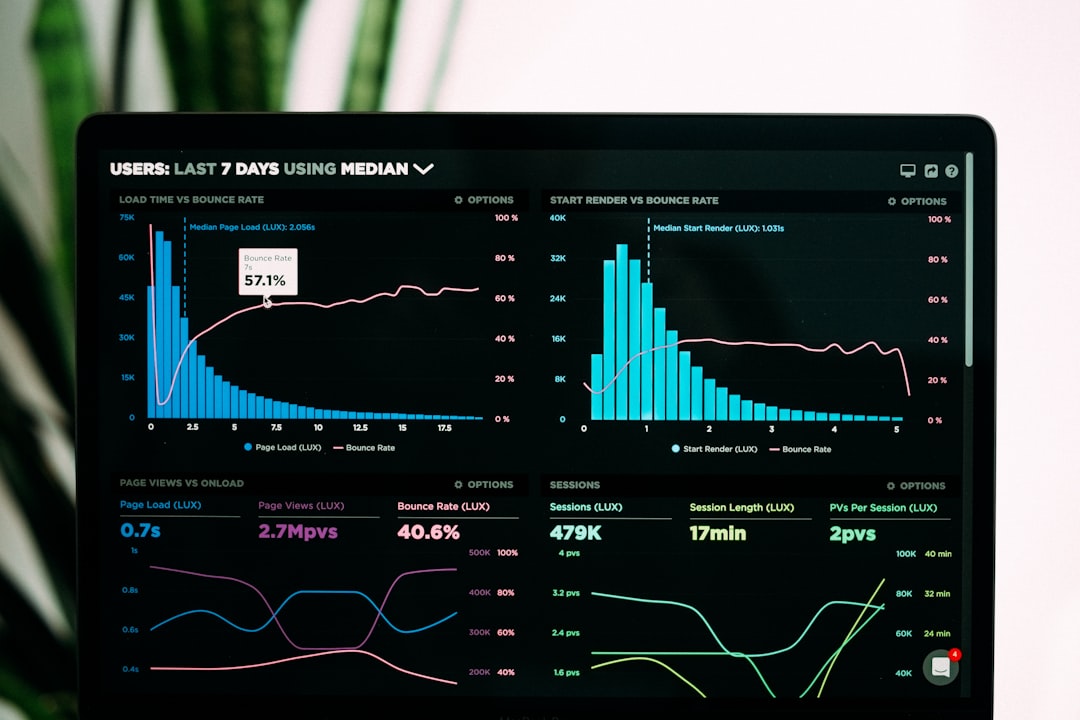
1. Google Search Console: Your First Daily Check
Google Search Console is the most useful free SEO tool for most websites. It shows impressions, clicks, average positions, indexed pages, crawl issues, Core Web Vitals signals, sitemaps, and manual actions.
Use it to find quick wins. Open the Performance report and filter queries with high impressions but low click-through rate. A page ranking in position 6 with a dull title may need a sharper title tag, not a new 2,000-word article.
Good checks to run weekly:
- Queries ranking in positions 4–20
- Pages with falling clicks over the last 28 days
- Indexing errors and excluded URLs
- Pages with strong impressions but weak clicks
- New pages that have not been indexed
The annoying part? Some reports lag. You may fix an issue today and still stare at stale data tomorrow. Honestly, it feels like waiting for a microwave that refuses to beep.
2. Google Analytics 4: Measure What SEO Traffic Does
Google Analytics 4 tells you what visitors do after they arrive. Search Console tells you how they found you. GA4 tells you whether they stayed, clicked, signed up, bought, or bounced.
Set up key events such as form submissions, purchases, phone clicks, newsletter signups, or demo requests. Then check organic traffic against those events. Rankings are nice, but revenue and leads keep the lights on.
The interface can be irritating. Simple reports often take more clicks than they should. Still, GA4 is worth using because it connects SEO activity to real business results.
3. Bing Webmaster Tools: Free Data You Might Be Ignoring
Bing Webmaster Tools often gets treated as an afterthought, which is a mistake. It offers keyword data, backlink reports, crawl information, site scans, and indexing insights. Even if Bing sends less traffic than Google, the tool can reveal technical problems Google’s reports may not show clearly.
Its Site Scan feature is especially useful for small sites. It can flag missing meta descriptions, long titles, broken links, and other basic issues. For a free tool, that is a strong deal.
4. Screaming Frog SEO Spider: Crawl Like a Pro for Free
Screaming Frog SEO Spider is free for up to 500 URLs. That is enough for many small business sites, blogs, local service sites, and landing page projects.
Use it to check:
- Broken links and server errors
- Missing or duplicate title tags
- Missing meta descriptions
- Redirect chains
- Canonical tags
- H1 usage
- Image alt text
This tool is great because it shows the site as a search engine crawler might see it. Export the results to Google Sheets and sort by issue type. Expect to waste a little time on the first setup, since the interface is not exactly warm and cuddly. Once you learn it, though, it becomes a weekly workhorse.
5. PageSpeed Insights and Lighthouse: Fix Slow Pages
PageSpeed Insights and Lighthouse help you test performance, accessibility, best practices, and SEO basics. They are not perfect, but they point out problems that affect users and search visibility.
Focus on field data when available. Lab scores can swing from test to test. A page may score 72 in one test and 84 two minutes later. Do not panic over every small change. Look for repeated warnings like large images, render-blocking scripts, slow server response, and layout shifts.
Useful fixes often include:
- Compressing oversized images
- Removing unused scripts
- Using lazy loading
- Improving hosting or caching
- Reducing heavy fonts and third-party widgets
6. Google Keyword Planner, Trends, and Autocomplete
For keyword research, start with free Google sources. Google Keyword Planner gives search volume ranges and keyword ideas. You may need a Google Ads account, but you do not need to run ads to get basic research value.
Google Trends helps you compare topics over time. It is great for seasonal content. For example, searches for “tax checklist” may rise early in the year, while “patio furniture ideas” might climb in spring.
Then use Google Autocomplete and People Also Ask. These show the language real searchers use. If your audience searches “how much does roof repair cost,” do not title the page “Residential Roofing Solutions.” Say what people actually type.
7. Free Browser Extensions for Quick Checks
Browser extensions can speed up surface-level audits. Use them carefully, since too many extensions can slow your browser and clutter your workflow.
Helpful free options include:
- MozBar: Quick page metrics and on-page checks
- SEOquake: SERP data and basic page diagnosis
- Keyword Surfer: Search volume estimates inside Google results
- Detailed SEO Extension: Fast checks for titles, headings, canonicals, and links
Use extensions for fast triage, not final truth. Data varies between tools. If something looks strange, confirm it with Search Console, a crawler, or the page source.
8. Schema and Rich Result Testing Tools
Structured data can help search engines understand pages. It may also qualify content for rich results, depending on the page type and Google’s rules.
Use these free tools:
- Google Rich Results Test: Checks eligibility for rich results
- Schema Markup Validator: Tests structured data syntax
Good schema candidates include articles, products, reviews, recipes, FAQs, local businesses, events, and how-to content. Do not add fake ratings or misleading markup. That shortcut can create bigger problems than it solves.
9. Google Sheets: The Underrated SEO Control Center
Google Sheets is not an SEO tool by label, but it can hold your whole process together. Use it to track target keywords, page updates, title changes, internal links, crawl issues, and ranking notes.
A simple sheet can include:
- URL
- Primary keyword
- Current clicks
- Current average position
- Issue found
- Fix made
- Date updated
- Result after 30 days
This stops SEO from becoming guesswork. You can see what changed and whether it helped.

A Simple Free SEO Toolkit Setup
If you want a practical stack, use this:
- Google Search Console for search queries and indexing
- GA4 for conversions and user behavior
- Bing Webmaster Tools for extra crawl and keyword data
- Screaming Frog Free for technical audits
- PageSpeed Insights for speed checks
- Google Keyword Planner and Trends for topic research
- Rich Results Test for schema checks
- Google Sheets for tracking work and results
When Free Tools Are Enough
Free SEO tools are enough when your site is small, your budget is tight, or your main need is steady improvement. They are also perfect for learning. You see raw problems instead of hiding behind polished dashboards.
Paid tools become useful when you need deeper competitor data, huge backlink databases, large-scale rank tracking, content briefs, or team workflows. Until then, do not rush. A focused free toolkit can uncover plenty of work: weak titles, missing internal links, slow pages, thin content, unindexed URLs, and keywords close to page one.
Start with five checks each week: review Search Console queries, crawl the site, test key pages for speed, update one underperforming page, and record the result. That routine beats owning ten paid tools you barely open.

