
Modern software rarely moves from a developer’s laptop to production in a straight line. It passes through planning, coding, testing, security checks, deployment, monitoring, and feedback loops. To reduce friction, engineering organizations increasingly rely on platforms that connect these stages into a smoother, more reliable lifecycle.
TLDR: The development lifecycle becomes easier when teams use platforms that automate repetitive work, improve collaboration, and reduce deployment risk. From source control and CI/CD to monitoring and cloud infrastructure, each tool plays a specific role in moving code safely into production. The strongest results usually come from combining platforms that fit the team’s workflow rather than adopting tools at random.
Why Development Lifecycle Platforms Matter
Software delivery has become more complex as applications have shifted toward microservices, cloud infrastructure, distributed teams, and frequent releases. A single production update may involve multiple repositories, automated test suites, container images, infrastructure changes, security scans, and observability dashboards. Without the right platforms, these moving parts can slow teams down and increase the chance of errors.
Development lifecycle platforms help by creating consistency. They provide shared workflows, enforce quality standards, and give teams visibility into the status of every change. While no tool can replace sound engineering practices, the right platform can make those practices easier to follow.

1. GitHub
GitHub is one of the most widely used platforms for source code management and collaborative development. It supports pull requests, code reviews, issue tracking, project boards, and automation through GitHub Actions. For many teams, it acts as the central hub where planning, development, testing, and deployment begin.
Its strength lies in its ecosystem. Developers can connect GitHub with package registries, security scanners, CI/CD pipelines, and cloud providers. The platform also supports branch protection rules, automated checks, and dependency alerts, making it useful beyond simple version control.
2. GitLab
GitLab offers an all-in-one DevSecOps platform that combines repository hosting, CI/CD, security scanning, package management, and deployment features. Organizations that prefer a unified toolchain often choose GitLab because it reduces the need to integrate many separate services.
GitLab is especially useful for teams that want visibility across the full delivery process. From the first commit to production deployment, managers and engineers can track pipeline status, review vulnerabilities, and monitor release progress from a single interface.
3. Bitbucket
Bitbucket, part of the Atlassian ecosystem, is popular among teams already using Jira and Confluence. It provides Git repository management, pull requests, branch permissions, and Bitbucket Pipelines for continuous integration and deployment.
Its tight connection with Jira allows development work to stay linked to planning and issue tracking. This makes it easier for product managers, developers, and QA teams to understand which code changes correspond to specific tasks or bug reports.
4. Jira
Jira is not a coding platform, but it plays a major role in the development lifecycle. It helps teams plan work, manage sprints, track bugs, and organize releases. For agile teams, Jira often becomes the system of record for product development.
When connected with source control and CI/CD tools, Jira can show whether a feature is only planned, actively in development, ready for review, or already deployed. This visibility reduces confusion and helps stakeholders understand delivery timelines.
5. Linear
Linear is a modern issue tracking and project management platform designed for speed and simplicity. It appeals to product and engineering teams that want a cleaner alternative to heavier project management systems.
Linear supports cycles, roadmaps, integrations with GitHub and GitLab, and automated status updates. Its focused interface helps developers spend less time managing tickets and more time building software.
6. Jenkins
Jenkins is a long-standing automation server used for continuous integration and delivery. It is highly flexible and supports thousands of plugins, making it adaptable to many development environments.
Although Jenkins often requires more maintenance than newer managed CI/CD platforms, it remains valuable for organizations with complex build requirements, legacy systems, or custom deployment workflows. Its flexibility allows teams to design pipelines that match their exact production needs.
7. CircleCI
CircleCI provides cloud-based continuous integration and continuous delivery workflows. It helps teams automate builds, run tests, and deploy applications after code changes are approved.
CircleCI is known for fast pipelines, reusable configuration, and support for containers. It can reduce manual release steps and help engineering teams detect problems earlier in the lifecycle, before code reaches production.
8. Travis CI
Travis CI is another CI/CD platform that has historically been popular among open-source projects. It integrates with common source control systems and allows teams to define build and test workflows through configuration files.
For smaller projects or teams that need straightforward automation, Travis CI can provide a simple path from commit to verified build. It is particularly useful when projects require quick setup and familiar CI patterns.
9. Docker
Docker changed the way teams package and run applications. By using containers, developers can bundle an application with its dependencies and run it consistently across local machines, test environments, and production servers.
This consistency reduces the classic problem of software working in one environment but failing in another. Docker also supports modern deployment practices, especially when paired with orchestration platforms and container registries.
10. Kubernetes
Kubernetes is a container orchestration platform used to manage applications at scale. It handles deployment, scaling, service discovery, rolling updates, and recovery from failures.
While Kubernetes adds complexity, it provides powerful production capabilities for teams running distributed services. Organizations with high availability requirements often use Kubernetes to keep applications resilient and scalable.
11. Terraform
Terraform allows teams to define infrastructure as code. Instead of manually configuring cloud resources, engineers can describe servers, databases, networks, permissions, and other infrastructure components in version-controlled files.
This approach makes infrastructure more repeatable and auditable. Changes can be reviewed like application code, tested in staging environments, and applied consistently across multiple cloud providers or regions.
12. AWS CodePipeline
AWS CodePipeline is a continuous delivery service for teams building on Amazon Web Services. It automates release pipelines by connecting source repositories, build services, testing steps, and deployment targets.
For organizations already invested in AWS, CodePipeline can simplify production delivery by working closely with services such as CodeBuild, CodeDeploy, Elastic Beanstalk, ECS, and Lambda. It is especially useful when teams want native cloud integration.
13. Azure DevOps
Azure DevOps provides a suite of services for planning, coding, testing, and releasing software. It includes Azure Repos, Azure Pipelines, Azure Boards, Azure Test Plans, and artifact management.
The platform is well suited to enterprises and teams using Microsoft technologies, though it also supports many languages, frameworks, and deployment targets. Its combination of planning and delivery features makes it a broad lifecycle platform.
14. Datadog
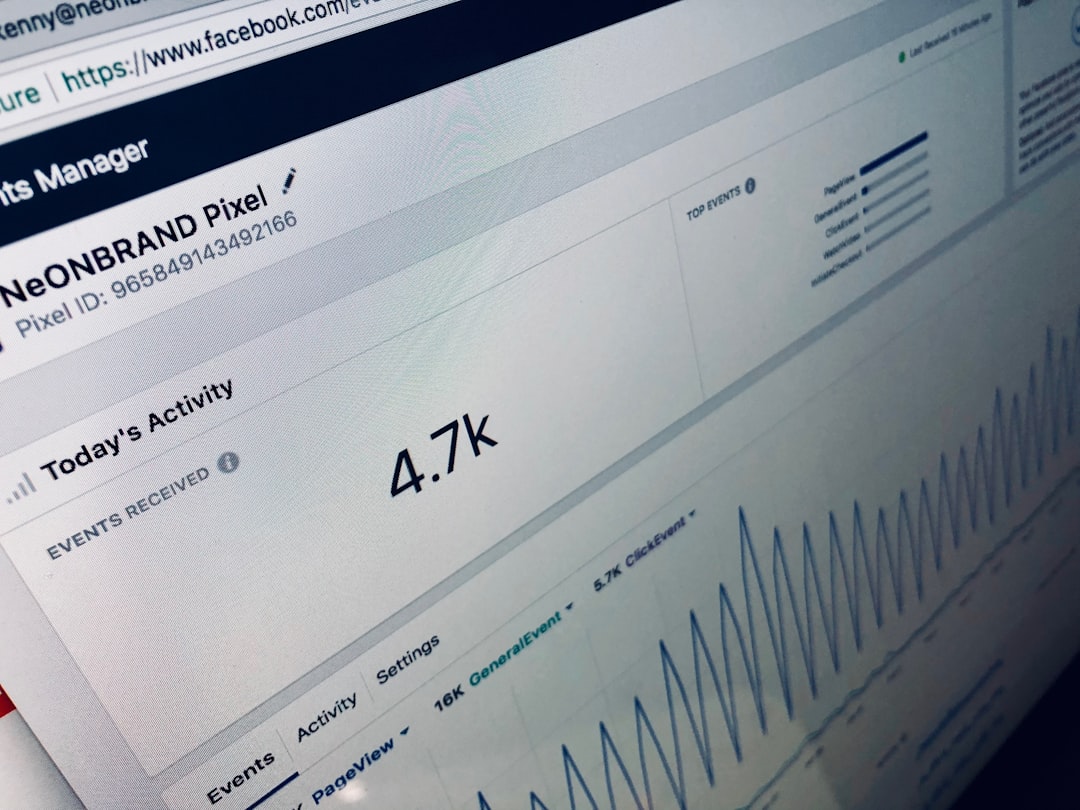
Datadog focuses on observability, monitoring, and performance visibility. Once code reaches production, teams need to know whether it is working as expected. Datadog helps by collecting metrics, logs, traces, and alerts from applications and infrastructure.
Observability closes the loop between deployment and improvement. When teams can identify slow services, error spikes, or infrastructure bottlenecks, they can respond faster and feed real production insights back into development.
15. Sentry
Sentry helps teams detect, diagnose, and prioritize application errors. It captures exceptions, stack traces, user impact details, and release information, making it easier to understand which production issues need attention first.
Unlike general monitoring tools, Sentry is especially developer-focused. It connects errors to specific releases and lines of code, helping engineers fix problems quickly after deployment.
How These Platforms Work Together
No single platform solves every development lifecycle challenge. A typical workflow may begin with planning in Jira or Linear, continue with source control in GitHub or GitLab, run automated tests in CircleCI or Jenkins, package services with Docker, deploy to cloud infrastructure managed by Terraform, and monitor production with Datadog or Sentry.
The most effective teams avoid building a toolchain that is unnecessarily complicated. Instead, they select platforms that support clear goals:
- Faster feedback: Developers should know quickly whether a change passes tests and quality checks.
- Reliable releases: Deployments should be automated, repeatable, and easy to roll back when needed.
- Better collaboration: Product, engineering, QA, and operations teams should work from shared information.
- Stronger security: Vulnerability scanning and access controls should be part of the normal workflow.
- Production visibility: Teams should understand how applications behave after release.
Choosing the Right Platform Mix
Tool selection should begin with the team’s development process, not with vendor popularity. A small startup may prefer lightweight platforms that are easy to configure, while a large enterprise may require advanced compliance, role-based permissions, audit logs, and self-hosting options.
Teams should evaluate platforms based on integration quality, ease of maintenance, scalability, security features, pricing, and developer experience. A tool that looks powerful on paper may create friction if it is difficult to use or poorly aligned with existing workflows.
It is also important to consider automation maturity. Teams with limited automation may benefit most from source control discipline and basic CI/CD. More mature organizations may focus on infrastructure as code, progressive delivery, security automation, and observability.
Common Mistakes to Avoid
Many organizations adopt too many platforms too quickly. This can create fragmented workflows, duplicate information, and confusion about which system is authoritative. Another common mistake is automating a broken process without first improving the process itself.
Teams should also avoid treating production deployment as the end of the lifecycle. In modern software development, production is a source of feedback. Monitoring data, user behavior, error reports, and performance trends should all influence future planning and development priorities.
The Future of Development Lifecycle Platforms
Development platforms continue to evolve toward greater automation and intelligence. Artificial intelligence is already assisting with code suggestions, test generation, alert noise reduction, and incident investigation. At the same time, platform engineering is becoming more important as organizations build internal developer portals and standardized workflows.
The future will likely favor platforms that reduce cognitive load. Developers will still need to understand architecture, security, and reliability, but better tooling can remove repetitive manual tasks and make best practices easier to follow.
Conclusion
Moving code to production is no longer a single technical step. It is a complete lifecycle involving planning, collaboration, automation, infrastructure, deployment, and monitoring. Platforms such as GitHub, GitLab, Jenkins, Docker, Kubernetes, Terraform, Datadog, and Sentry simplify this journey by helping teams work faster and with greater confidence.
The best toolchain is not always the largest or most expensive one. It is the one that supports the team’s workflow, improves reliability, and helps software reach users safely. When chosen carefully, these platforms turn development from a fragmented process into a repeatable path from idea to production.
FAQ
What is a development lifecycle platform?
A development lifecycle platform is a tool or service that supports one or more stages of software delivery, such as planning, coding, testing, deployment, monitoring, or incident response.
Which platform is best for source code management?
GitHub, GitLab, and Bitbucket are common choices. The best option depends on the team’s preferred integrations, security needs, and project management workflow.
Is Kubernetes necessary for every production application?
No. Kubernetes is powerful, but it can be complex. Smaller applications may run effectively on simpler cloud services, managed containers, or platform-as-a-service environments.
Why is CI/CD important?
CI/CD automates building, testing, and deploying software. It helps teams catch errors earlier, reduce manual work, and release updates more consistently.
How do monitoring tools improve development?
Monitoring tools show how applications perform in production. They help teams detect errors, understand user impact, and prioritize fixes based on real-world behavior.
Should a team use an all-in-one platform or separate tools?
Both approaches can work. An all-in-one platform may reduce integration complexity, while separate tools may provide more flexibility. The right choice depends on team size, technical requirements, and operational maturity.

