

Internet speed tests can feel deceptively simple: click a button, wait a few seconds, and get a number. But if you have ever wondered why one test says your connection is 940 Mbps while another reports 620 Mbps, you already know that not all speed testing tools work the same way. Like TestMy.net, the best tools look beyond flashy gauges and help you understand real-world browsing, streaming, gaming, downloading, and upload performance.
TLDR: If you want a reliable alternative to TestMy.net, try tools such as Ookla Speedtest, Fast.com, Cloudflare Speed Test, Measurement Lab, SpeedOf.Me, and nPerf. For example, a remote worker troubleshooting video call lag might run three tests and discover that download speed is fine at 300 Mbps, but upload speed drops below 5 Mbps during peak hours. Running tests across multiple platforms can reveal whether the issue is your router, your ISP, Wi Fi interference, or congestion.
Before choosing a tool, it helps to understand what you are measuring. Most internet speed tests report download speed, upload speed, latency, and sometimes jitter or packet loss. Download speed affects streaming, web browsing, and file downloads. Upload speed matters for video calls, cloud backups, livestreaming, and sending large files. Latency and jitter are especially important for online gaming and real-time meetings.

1. Ookla Speedtest
Ookla Speedtest is one of the most recognized internet speed test tools in the world, and for good reason. It has a huge network of servers, polished apps for desktop and mobile, and a simple interface that makes testing accessible to almost anyone.
What makes Ookla useful is its flexibility. You can let it automatically choose a nearby server, or you can manually select a test server to compare performance across different destinations. This is helpful if you want to know whether your connection is strong locally but slower when connecting to a specific region.
- Best for: Quick, polished speed checks with global server coverage.
- Key metrics: Download, upload, ping, jitter, packet loss in some cases.
- Why it is like TestMy.net: It gives measurable performance data, though with a more app-like, visually driven experience.
Tip: Use Ookla when you need a fast benchmark, but compare it with another browser-based test if you want a second opinion.
2. Fast.com
Fast.com, powered by Netflix, is the minimalist choice. Open the page and the test begins automatically. Its main focus is download speed, which makes sense because Netflix created it to help users check whether their internet connection can handle video streaming.
While it looks simple, Fast.com can also show more detailed information if you click for additional results. You can view upload speed and latency, including loaded and unloaded latency. This is especially helpful because a connection may appear fast when idle but perform worse when several devices are active.
- Best for: Streaming performance checks.
- Key metrics: Download, upload, unloaded latency, loaded latency.
- Why it is like TestMy.net: It runs directly in the browser and focuses on practical internet performance.
If your movies buffer despite having a “fast” plan, Fast.com can show whether your real-world streaming connection is actually holding up.
3. Cloudflare Speed Test
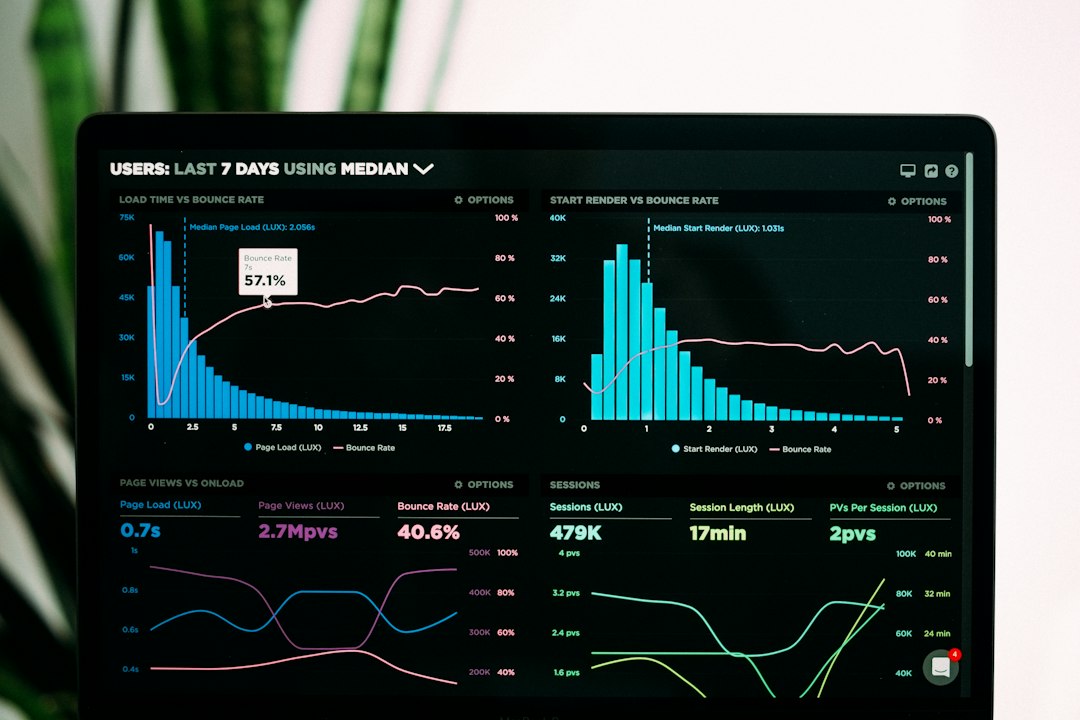
Cloudflare Speed Test is a strong option for users who want more technical insight without being overwhelmed. Cloudflare is a major internet infrastructure company, and its speed test reflects that engineering focus. It does not just show one download and upload number; it also provides latency, jitter, and packet loss information.
One of its most useful features is that it tests different file sizes. This helps reveal how your connection behaves with small web requests versus larger downloads. A connection might load lightweight websites quickly but slow down when transferring bigger files.
- Best for: Users who want detailed diagnostics in a clean interface.
- Key metrics: Download, upload, latency, jitter, packet loss.
- Why it is like TestMy.net: It emphasizes meaningful performance data rather than only a single headline number.
Cloudflare Speed Test is particularly useful if you are troubleshooting unstable video calls, laggy gaming, or inconsistent browsing speed.
4. Measurement Lab
Measurement Lab, often called M Lab, is a more research-oriented testing platform. It is backed by a coalition of researchers, public interest groups, and technology organizations. Instead of simply helping you see your speed, it contributes to a broader database used to study internet performance around the world.
The main test, called the Network Diagnostic Tool, measures your connection and provides results that can be useful for identifying performance problems. M Lab is especially interesting if you care about transparency, public data, and internet policy.
- Best for: Open internet research and transparent testing.
- Key metrics: Download, upload, latency, retransmission data.
- Why it is like TestMy.net: It is browser-based and designed to provide independent performance measurements.
Note: Because M Lab tests may use specific testing paths and methodologies, results can differ from commercial speed tests. That is not necessarily a problem; it simply gives you another perspective.
5. SpeedOf.Me
SpeedOf.Me is an HTML5-based internet speed test designed to simulate real browsing and downloading behavior. Instead of relying on older plugins, it works directly in modern browsers on desktops, tablets, and phones.
Its visual graph is one of its strengths. Rather than showing only final numbers, SpeedOf.Me displays how your speed changes during the test. This can reveal unstable performance, sudden drops, or inconsistent throughput. If your connection starts strong and then dips sharply, that pattern may be more useful than the average speed alone.
- Best for: Browser-based testing with visual performance graphs.
- Key metrics: Download, upload, latency, speed variation over time.
- Why it is like TestMy.net: It focuses on browser-based testing and practical connection behavior.
SpeedOf.Me is a smart pick when you want to test from different devices without installing an app.
6. nPerf
nPerf is a feature-rich speed test that goes beyond basic download and upload measurements. It can evaluate browsing and streaming performance as well, giving you a more complete view of how your internet behaves in everyday scenarios.
The platform is available on the web and through mobile apps, making it convenient for testing home broadband, mobile data, and public Wi Fi. Its scoring system can be helpful if you want a quick overall rating rather than digging through every technical detail.
- Best for: All-around internet quality testing, including mobile networks.
- Key metrics: Download, upload, latency, browsing performance, streaming performance.
- Why it is like TestMy.net: It helps users understand real-world usability, not just theoretical speed.
nPerf is especially useful if you are comparing Wi Fi against mobile data or checking whether a new provider delivers a better everyday experience.
How to Get More Accurate Speed Test Results
Even the best internet speed test can give misleading results if your setup is not controlled. To improve accuracy, test more than once and pay attention to conditions.
- Use a wired connection when possible to eliminate Wi Fi interference.
- Close bandwidth-heavy apps such as cloud backups, game downloads, and video streams.
- Test at different times, such as morning, afternoon, and evening peak hours.
- Compare multiple tools instead of trusting a single result.
- Check both loaded and unloaded latency if gaming or video calls matter to you.
For example, if your plan promises 500 Mbps and you consistently get 470 Mbps on a wired device, your connection is likely performing well. But if you only get 80 Mbps over Wi Fi in the next room, the issue may be router placement, signal interference, or outdated hardware rather than your ISP.
Which Test Should You Choose?
There is no single perfect internet speed test. Ookla Speedtest is excellent for quick checks, Fast.com is ideal for streaming concerns, Cloudflare provides deeper network diagnostics, Measurement Lab offers transparency, SpeedOf.Me visualizes performance over time, and nPerf gives a broad view of browsing and streaming quality.
The smartest approach is to treat speed testing like a mini investigation. Run two or three tests, compare the results, and look for patterns rather than obsessing over one number. Like TestMy.net, these tools can help you move past vague complaints like “my internet feels slow” and toward specific answers you can act on.

