
Unboxing a premium laptop is never just about peeling away plastic and lifting a device out of a box. With the Microsoft Surface Book 2, the experience is part practical, part premium presentation, and part introduction to a very distinctive kind of computer. Because the Surface Book 2 is both a laptop and a detachable tablet, the items included in the box are designed to help you get started quickly while reinforcing the device’s flexible nature.
TLDR: Inside the Surface Book 2 box, you typically get the Surface Book 2 itself, a Surface power supply charger, basic printed documentation, and warranty or safety information. The package is clean and minimal, with fewer accessories than some buyers might expect. Items like the Surface Pen, Surface Dial, adapters, and extra cables are usually sold separately. The included charger is especially important because it powers the device and often includes a convenient USB port for charging another accessory.
What Comes in the Surface Book 2 Box?
The Surface Book 2 was marketed as a high-performance, premium 2-in-1 PC, and its packaging reflects that philosophy. Microsoft keeps the contents streamlined, avoiding clutter while including the essentials needed to power on the device and begin using it. Depending on the region, retailer, and configuration, the exact paperwork may vary slightly, but the core in-box contents are generally consistent.
Most Surface Book 2 packages include:
- Surface Book 2 device, including the detachable display and keyboard base
- Surface power supply charger
- Quick start guide or setup documentation
- Safety and warranty documents
- Regulatory information, depending on country or region
That may sound simple, but each item plays a specific role. The packaging is not designed to overwhelm you with accessories; it is designed to get you directly to the main event: the Surface Book 2 itself.
The Surface Book 2 Device Itself
The centerpiece of the box is, of course, the Surface Book 2. Microsoft released the device in 13.5-inch and 15-inch versions, and the configuration you purchased determines the exact model inside. Some versions include integrated graphics, while higher-end versions include dedicated NVIDIA graphics in the keyboard base. But whether you bought a more modest model or a powerful creative workstation, the physical layout remains one of the most interesting parts of the product.
The Surface Book 2 consists of two major parts: the PixelSense display and the keyboard base. The screen can detach from the base and work as a tablet, while the base provides the keyboard, trackpad, extra battery capacity, and on certain models, additional graphics power. This makes the Surface Book 2 feel different from a standard laptop as soon as you pull it from the box.
The device is usually packed securely in protective wrapping and seated in a molded tray. Microsoft’s packaging is clean and deliberate, giving the device a premium reveal without making the unboxing feel complicated. The first thing many users notice is the unique dynamic fulcrum hinge, a ribbed hinge design that gives the Surface Book line its signature look.
The Charger: More Than Just a Power Brick
The charger is one of the most important items in the Surface Book 2 box. Microsoft includes a Surface power supply that connects magnetically to the Surface Connect port on the device. This connector is convenient because it snaps into place and can detach if the cable is pulled, reducing the chance of dragging the laptop off a desk.
The wattage of the charger may vary depending on the Surface Book 2 model. More powerful configurations, especially those with dedicated graphics, require a stronger power adapter than lower-end versions. For example, a 15-inch model with NVIDIA graphics generally needs more power than a base 13.5-inch configuration. This is important because using a lower-wattage Surface charger may charge the device more slowly or fail to keep up during heavy workloads.
One particularly useful feature of many Surface power supplies is the built-in USB-A charging port on the power brick. This port does not transfer data, but it can charge a phone, wireless mouse, headphones, or another small USB device. It is a small detail, yet it makes the charger more versatile, particularly for travel or desk setups with limited outlets.
The charger usually includes two parts: the power brick with the Surface Connect cable and a detachable AC power cord that plugs into the wall. The wall plug format depends on the country where the device was sold. If you buy a Surface Book 2 secondhand or imported from another region, it is worth checking that the included power cord is compatible with your local outlets.
Manuals and Quick Start Materials
Compared with laptops from earlier eras, the Surface Book 2 does not come with a thick printed manual. Instead, Microsoft includes basic printed materials that help users perform the initial setup and understand safety information. The main setup instructions are minimal because Windows guides users through the rest after the device is powered on.
The quick start guide typically covers simple actions such as:
- Connecting the charger
- Turning on the Surface Book 2
- Understanding the detachable screen mechanism
- Locating important buttons and ports
- Starting Windows setup
The printed documentation is not meant to teach every feature. Instead, it functions as a helpful reference for the first few minutes of ownership. More extensive support information is available digitally through Windows, Microsoft’s support resources, and the Surface app.
The box also contains safety, warranty, and regulatory documents. These may not be exciting, but they are important. They explain safe charging practices, battery handling information, compliance details, and warranty terms. If you are purchasing the Surface Book 2 used, these papers may be missing, but that does not necessarily affect the function of the device. However, having original documentation can be useful for collectors, businesses, or anyone who wants a complete package.
What Is Not Usually Included?
One of the biggest surprises for some buyers is what the Surface Book 2 box does not include. Despite its premium price at launch, Microsoft did not typically bundle every Surface accessory with the device. That means several popular add-ons are usually separate purchases.
Common accessories not normally included in the standard box include:
- Surface Pen
- Surface Dial
- USB-C adapters
- Mini DisplayPort adapters, for certain display setups
- Protective case or sleeve
- Mouse
- Extra charger
The absence of the Surface Pen is especially worth noting. The Surface Book 2 supports pen input beautifully, making it ideal for handwritten notes, sketching, markup, and creative work. However, depending on the bundle or retailer promotion, the pen may or may not be included. In most standard retail packages, it is sold separately.
This minimalist approach has pros and cons. On one hand, it keeps the base package tidy and lets users buy only the accessories they need. On the other hand, buyers expecting a complete creative kit may need to budget for additional items.
Ports, Cables, and Adapter Expectations
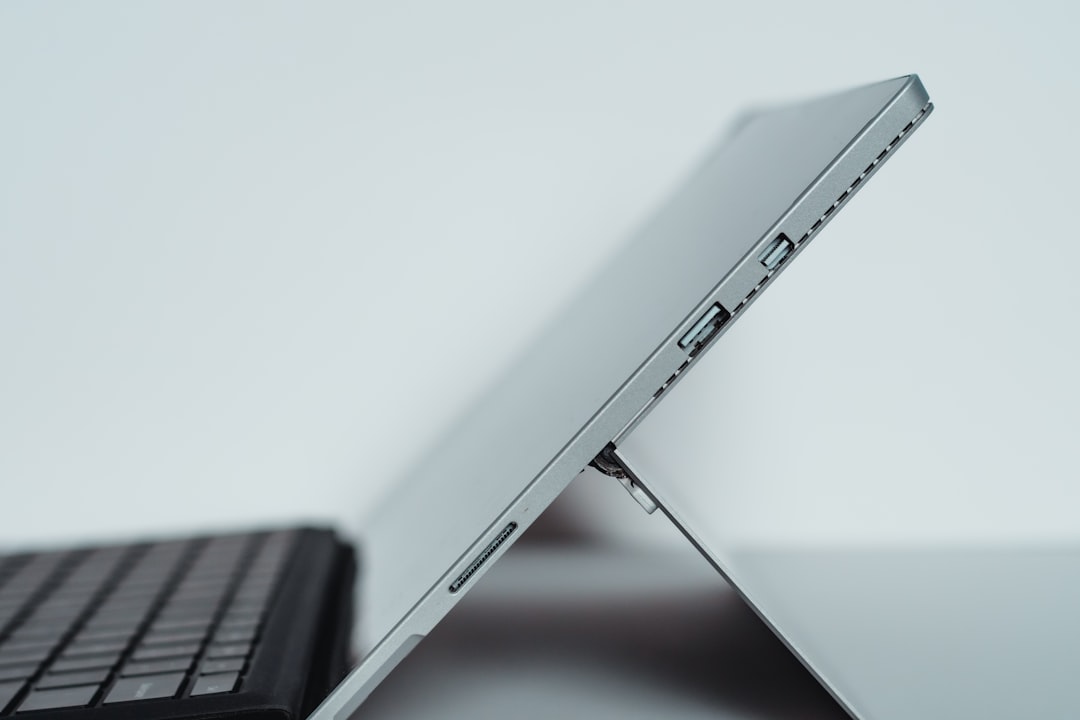
The Surface Book 2 includes useful built-in ports, but the box does not usually include adapters for every scenario. Depending on the model, the device features USB-A ports, USB-C, a full-size SD card reader, Surface Connect, and a headphone jack. These ports make it more flexible than some ultra-thin laptops, particularly for photographers who appreciate the SD card slot.
However, if you plan to connect external monitors, Ethernet, projectors, or older peripherals, you may need extra adapters. For example, the USB-C port can be used with compatible display or hub accessories, but Microsoft generally did not include a USB-C hub in the standard packaging. Similarly, if you want to connect to HDMI, VGA, or wired networking, those accessories are separate.
This is important for professionals setting up the Surface Book 2 as a workstation. The contents of the box will let you charge and start the laptop, but they may not cover every productivity environment right away. A user planning to dock the device at a desk should consider a Surface Dock, USB-C hub, or external display adapter.
The Packaging Experience
Microsoft’s Surface packaging has always leaned toward a clean, premium style. The Surface Book 2 box is typically sturdy, minimal, and carefully organized. The laptop is placed prominently, while the charger and documentation are stored in separate compartments. The presentation feels more like opening a high-end creative tool than a generic notebook computer.
This matters because the Surface Book 2 was designed for users who care about both performance and craftsmanship. Designers, students, developers, photographers, business users, and writers all interact with the device differently, but the unboxing experience introduces the same idea to everyone: this is a flexible machine built around precision.
If You Are Buying a Used Surface Book 2
Because the Surface Book 2 is no longer a brand-new current-generation flagship, many people now buy it used, refurbished, or open-box. In that case, checking the in-box contents becomes even more important. A secondhand listing may say “complete in box,” but the meaning can vary from seller to seller.
Before buying, confirm whether the package includes:
- The original Surface Book 2 device with matching keyboard base
- A genuine Microsoft Surface charger with suitable wattage
- Original box and inserts, if important to you
- Manuals and warranty papers, if advertised
- Any promised accessories, such as a Surface Pen
The charger deserves special attention. Some used devices are sold with third-party chargers or lower-wattage Surface adapters. While a compatible charger may work, a genuine and properly rated one is preferable for reliability. If the Surface Book 2 has dedicated graphics and will be used for demanding tasks, having the correct power supply matters even more.
Why the In-Box Contents Still Matter
It is easy to overlook box contents after the first day, but they affect the ownership experience. The charger determines how easily you can keep the device powered. The documentation helps new users understand the basics. The packaging protects the device during shipping, resale, or storage. Even the absence of certain accessories helps define what you may need to buy next.
The Surface Book 2 is not a typical laptop, so understanding what comes with it helps avoid confusion. The detachable display, performance-focused base, and Surface Connect charging system all make it a unique product. Knowing what is included allows buyers to prepare properly, especially if they plan to use the device for art, school, engineering, office work, or travel.
Final Thoughts
The Surface Book 2 in-box experience is elegant, minimal, and focused on essentials. You get the device, the charger, and the documentation needed to begin, but not a large collection of extras. For some users, that simplicity is part of the appeal; for others, it means planning ahead for accessories like the Surface Pen, adapters, or an additional power supply.
If you are opening a new Surface Book 2 box or evaluating a used one, the most important items to verify are the device itself, the correct charger, and the basic manuals or warranty information. Once those are accounted for, the rest depends on your workflow. Whether you use it as a laptop, tablet, sketchbook, or mobile workstation, the Surface Book 2’s box gives you the foundation; the accessories you add afterward shape the experience into something personal.

