
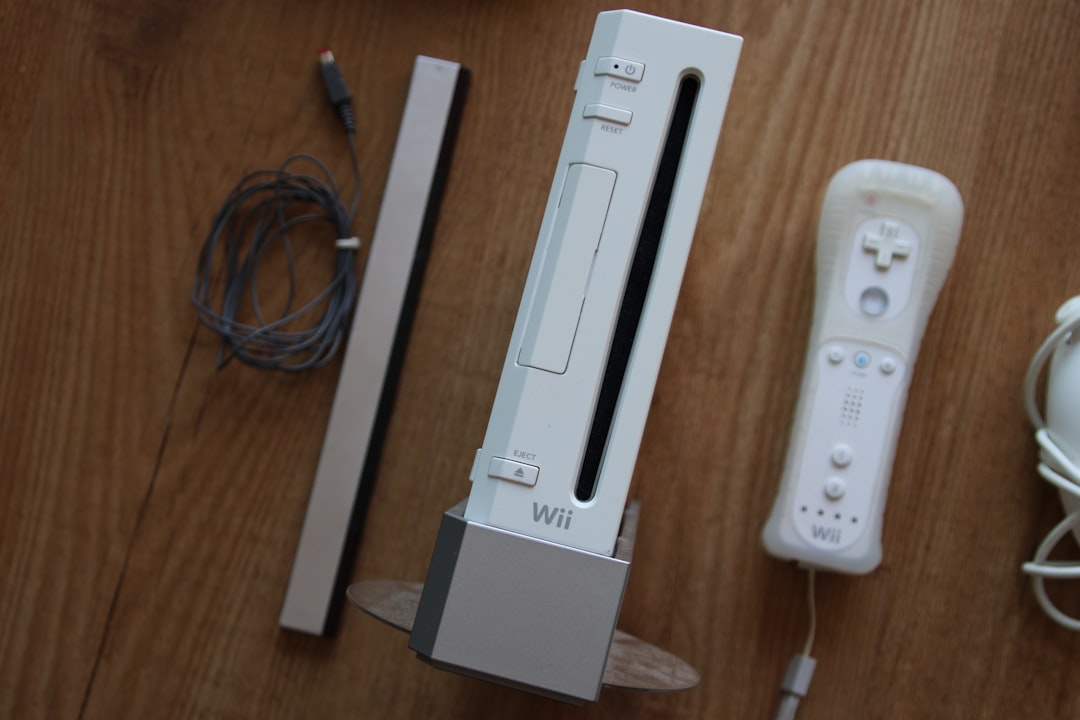
The Wii is not dead. Not even close. Thanks to WiiLink, many online features are alive again. But sometimes things break. One common issue is Error Code 107305. It looks scary. It feels confusing. But do not worry. This guide will walk you through it in a fun and simple way.
TLDR: Error Code 107305 usually means your Wii cannot connect properly to WiiLink servers. The problem is often caused by incorrect DNS settings, outdated patches, or network issues. Double-check your DNS settings, reinstall the WiiLink patch, and test your internet connection. In most cases, the fix takes less than 30 minutes.
What Is WiiLink Error Code 107305?
Error Code 107305 appears when your Wii tries to access an online WiiLink service and fails. This often happens inside channels like:
- Wii Mail
- Forecast Channel
- News Channel
- Everybody Votes Channel
The Wii is basically saying, “I cannot reach the server.”
This can happen for three main reasons:
- Wrong DNS settings
- WiiLink patch not installed correctly
- Internet connection problems
The good news? All of these are fixable.
Step 1: Check Your Internet Connection
Start simple. Always start simple.
Go to:
- Wii Options
- Wii Settings
- Internet
- Connection Settings
- Test Connection
If the test fails, the problem is your Wi-Fi.
If the test passes, continue reading.
Common Internet Problems
- Weak Wi-Fi signal
- Router blocking custom DNS
- Wrong Wi-Fi password
- Outdated router firmware
Try moving your Wii closer to the router. Restart the router. Yes, the classic “turn it off and on again” really works.
If your internet works but WiiLink still throws 107305, move to the next step.
Step 2: Double-Check Your DNS Settings
This is the most common cause.
WiiLink requires custom DNS settings. If they are wrong, your Wii cannot find the servers.
How To Check DNS on Wii
- Go to Wii Settings
- Open Internet
- Select your active connection
- Choose Change Settings
- Scroll to Auto-Obtain DNS
- Set it to No
Now enter the official WiiLink DNS:
- Primary DNS: 167.86.108.126
- Secondary DNS: 1.1.1.1 (or 8.8.8.8)
Save. Then test the connection again.
If you previously had “Auto-Obtain DNS” set to Yes, that is likely your problem.
Manual DNS is required for WiiLink services to redirect correctly.
Step 3: Reinstall the WiiLink Patch
If your DNS is correct but you still see Error 107305, your patch might not be installed properly.
This can happen if:
- You skipped a step during installation
- Your SD card corrupted files
- You updated something incorrectly

How To Reinstall WiiLink
- Download the latest WiiLink patch from the official site
- Format your SD card to FAT32
- Copy fresh files to the SD card
- Insert SD card into Wii
- Open the Homebrew Channel
- Run the WiiLink installer again
Take your time. Do not rush.
When installation finishes, restart your Wii completely. Then test the channel again.
Step 4: Check Date and Time
This step is often ignored.
If your Wii’s internal clock is very wrong, server communication can fail.
Go to:
- Wii Settings
- Calendar
- Date and Time
Make sure everything is correct.
Yes, even the year.
Step 5: Disable Firewall or Router Restrictions
Sometimes the problem is not the Wii.
Modern routers can block unusual DNS traffic.
Check if:
- Parental controls are active
- Firewall settings are strict
- Custom DNS is blocked
If possible, temporarily disable firewall restrictions and test again.
If it works, you found the cause.
Quick Comparison of Fix Methods
| Fix Method | Difficulty | Time Needed | Most Common? |
|---|---|---|---|
| Check Internet Connection | Easy | 5 Minutes | Sometimes |
| Correct DNS Settings | Easy | 10 Minutes | Very Common |
| Reinstall WiiLink Patch | Medium | 20–30 Minutes | Common |
| Fix Date and Time | Very Easy | 2 Minutes | Rare |
| Adjust Router Firewall | Medium | 15 Minutes | Occasional |
Still Not Working?
If Error 107305 continues, try these extra tips:
- Restart Wii completely (power off, unplug for 30 seconds)
- Try a different Wi-Fi network
- Test using a mobile hotspot
- Replace SD card if it is very old
If it works on another network, your home router is likely the issue.
Common Mistakes To Avoid
Many users make small mistakes. These cause big frustration.
- Typing DNS numbers incorrectly
- Leaving Auto-Obtain DNS set to Yes
- Installing outdated WiiLink files
- Forgetting to restart after changes
- Using a corrupted SD card
Always double-check numbers. One wrong digit breaks everything.
Why DNS Matters So Much
Here is a simple explanation.
DNS is like a phone book. When your Wii wants to call WiiLink, it asks DNS for the address.
If you use the wrong DNS, your Wii looks in the wrong phone book.
No address means no connection.
Error 107305 appears.
That is why manual DNS is the most common fix.
How Long Does The Fix Take?
Most users solve Error 107305 in under 15 minutes.
If you need to reinstall everything, maybe 30 minutes.
After that, your Wii should connect normally.
And yes, it feels amazing when it finally works.
Final Checklist
Before you celebrate, confirm these:
- Internet connection passes test
- Primary DNS is 167.86.108.126
- Auto-Obtain DNS is set to No
- WiiLink patch is freshly installed
- Date and time are correct
- Router is not blocking connection
If all boxes are checked, Error Code 107305 should be gone.
Enjoy WiiLink Again
Your Wii may be old. But it still has life.
Fixing Error 107305 is usually simple. Most of the time it is just DNS settings. Sometimes it is a patch issue. Rarely it is hardware.
Follow the steps calmly. Do not skip anything. Double-check numbers.
Soon your News Channel will load. Weather will update. Votes will count.
And your Wii will feel alive again.
Happy gaming.

