
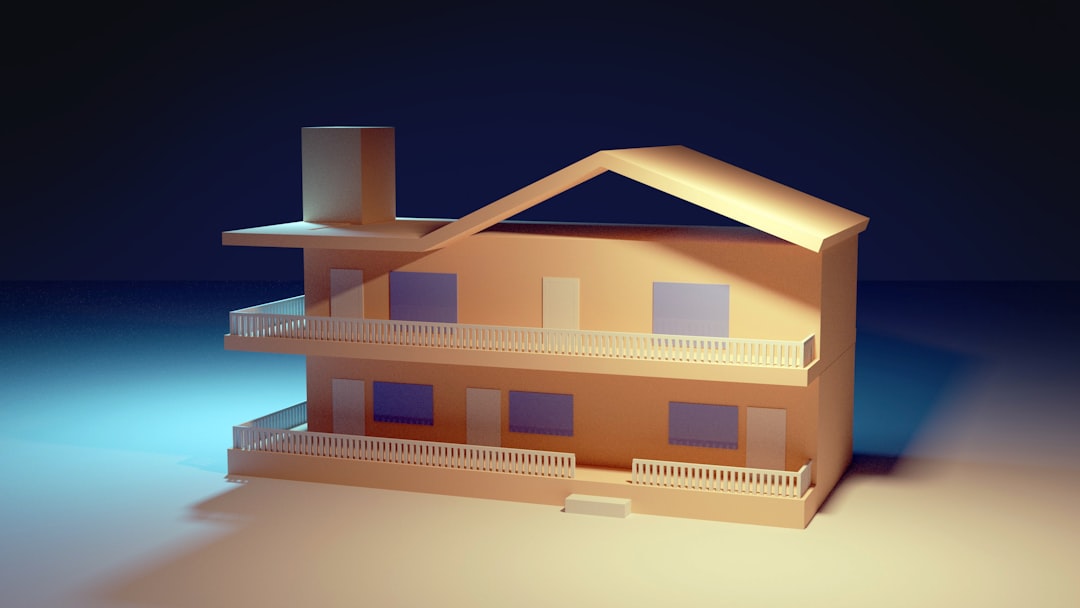
SketchUp has evolved from a lightweight 3D modeling program into one of the most widely used tools in architecture, interior design, construction, and hobbyist maker communities. Its promise is simple: powerful 3D modeling without the steep learning curve of traditional CAD software. But does it truly deliver for both professionals and hobbyists? This in-depth review examines six key pros and cons of SketchUp, helping you determine whether it’s the right fit for your workflow.
TLDR: SketchUp stands out for its intuitive interface, rapid modeling capabilities, and strong plugin ecosystem. However, professionals may find limitations in advanced modeling precision, rendering capabilities, and performance with complex geometry. It works exceptionally well for conceptual design, woodworking, and visualization, but may require add-ons or companion software for high-end production work. Ultimately, its value depends on your expectations and project complexity.
1. Pro: Intuitive and Beginner-Friendly Interface
One of SketchUp’s greatest strengths is its accessibility. The interface is clean and its toolset revolves around intuitive actions like push, pull, draw, and move. For hobbyists and beginners, this removes the intimidation factor often associated with professional-grade design software.
Unlike many CAD platforms that require extensive training, SketchUp allows users to create basic 3D structures within minutes. Its minimalistic layout keeps key tools visible and reduces workflow friction.

For hobbyists:
- Quick learning curve
- Ideal for DIY projects and woodworking plans
- Free web-based version available
For professionals:
- Speeds up conceptual design
- Useful for client presentations
- Efficient for early-stage modeling
Verdict: SketchUp earns high marks for usability, especially for those entering 3D modeling for the first time.
2. Con: Limited Native Advanced Modeling Tools
While SketchUp is easy to use, its simplicity comes with trade-offs. Compared to advanced CAD or BIM software, its native toolset lacks certain parametric modeling, surface analysis, and advanced geometry capabilities.
Professionals working on highly detailed architectural models or engineered components may encounter limitations. Complex curved surfaces, precise mechanical parts, or large structural models can feel cumbersome without extensions.
Common limitations include:
- No built-in parametric modeling (without plugins)
- Limited solid modeling compared to specialized CAD software
- Manual workflows for tasks automated in other programs
SketchUp can still accomplish these tasks—but often requires third-party extensions. While extensions are powerful, relying heavily on them can complicate workflows and version compatibility.
Verdict: For detailed engineering or BIM-heavy projects, SketchUp may not be sufficient as a standalone solution.
3. Pro: Powerful Extension Ecosystem
If SketchUp has a superpower, it is its extension library. The Extension Warehouse allows users to dramatically expand functionality, bridging many of the native limitations.
From advanced rendering tools to parametric modeling add-ons and automation scripts, extensions turn SketchUp into a modular platform.

Popular types of extensions include:
- Rendering engines (e.g., V-Ray integration)
- Solid and parametric modeling tools
- Landscape and terrain modeling add-ons
- Construction documentation plugins
This modular flexibility is especially attractive to professionals who want to tailor their workflow. Hobbyists also benefit from woodworking-specific plugins or 3D printing preparation tools.
However:
- Premium plugins can be expensive
- Compatibility issues may arise after software updates
- Performance may suffer with heavy plugin use
Verdict: The extension ecosystem is one of SketchUp’s strongest advantages—but it can add complexity and cost.
4. Con: Rendering and Visualization Limitations (Without Add-ons)
Out of the box, SketchUp’s rendering capabilities are basic. While its shading and default visualization work well for conceptual presentations, they lack photorealism and advanced lighting simulations.
Architects and designers presenting to high-end clients often require realistic materials, global illumination, and accurate shadows—features that typically demand third-party rendering software.
Native visualization drawbacks:
- Limited material realism
- No built-in global illumination
- Simplified lighting controls
Fortunately, rendering extensions significantly elevate results. With the right tools, SketchUp models can achieve stunning realism. However, this again introduces additional costs and learning curves.
Verdict: SketchUp serves well for conceptual presentations, but professional-grade rendering requires extra investment.
5. Pro: Excellent for Conceptual Design and Rapid Prototyping
SketchUp excels in early-stage design. Its push-pull workflow encourages experimentation and fast adjustments, making it ideal for brainstorming sessions and collaborative environments.
Architects often use SketchUp during schematic phases, particularly when exploring volume studies, massing models, and quick spatial concepts.

Key advantages in this phase:
- Fast iteration of ideas
- Visual clarity for non-technical stakeholders
- Easy export for presentations or revisions
For hobbyists, rapid prototyping is equally valuable. Woodworkers can draft furniture, makers can test enclosures for electronics, and 3D printing enthusiasts can quickly prototype components.
Verdict: SketchUp is arguably one of the best tools available for translating rough ideas into visual 3D concepts quickly.
6. Con: Performance Issues with Complex or Large Models
As projects scale in size and complexity, SketchUp can struggle. Large polygon counts, detailed textures, and extensive plugin use may cause lag or even crashes on underpowered systems.
Professional architectural projects involving detailed interiors, landscaping, and construction documentation can push the software beyond its comfort zone.
Performance concerns include:
- Slower navigation in high-detail scenes
- Increased load times for complex files
- Large file sizes when importing external models
Proper model management—such as organizing components, purging unused elements, and using proxy objects—can mitigate performance issues. Still, compared to more robust BIM platforms, SketchUp is less optimized for massive datasets.
Verdict: It handles small and mid-sized projects well, but may struggle with enterprise-level complexity.
Professional vs Hobbyist: Who Benefits Most?
For professionals, SketchUp works best in conceptual design, client visualization, and smaller architectural projects. It becomes significantly more capable with paid extensions and companion software.
For hobbyists, it offers exceptional value. The intuitive interface, abundant tutorials, and strong community support make it one of the most accessible 3D design platforms available.
The key difference lies in expectations. Professionals seeking an all-in-one parametric BIM solution may find SketchUp lacking. Those who prioritize flexibility, visual clarity, and rapid iteration will appreciate it.
Cost Considerations
SketchUp offers tiered pricing models, including a web-based free version and subscription-based professional plans. While entry costs are reasonable compared to enterprise CAD platforms, expenses can increase with:
- Premium rendering plugins
- Extension subscriptions
- Cloud storage or collaboration tools
Even so, its total cost of ownership remains competitive when compared to many industry-standard alternatives.
Final Assessment
SketchUp is neither a toy nor a full-scale engineering powerhouse—it occupies a practical and purposeful middle ground. Its greatest strengths lie in accessibility, rapid modeling, and customization through extensions. These qualities make it invaluable for early-stage design work and hobby projects.
However, it is not without clear limitations. Advanced modeling functions, high-end rendering, and performance under heavy complexity reveal areas where specialized software may outperform it.
In summary:
- Best for: Conceptual design, woodworking, small to mid-sized projects, hobbyists, early architectural phases
- Less ideal for: Advanced engineering, parametric-heavy workflows, large BIM projects without integration tools
For many users, SketchUp is not a replacement for high-end CAD software—but rather a powerful complement to it. When used strategically, it can dramatically streamline visualization and idea development. That balance of simplicity, flexibility, and extensibility is what keeps SketchUp relevant for both professionals and passionate hobbyists alike.

