
Apple’s smart home plan is simple: make the iPhone the remote, make HomeKit the brain, and make connected devices feel less annoying. Apple’s Home app also supports the Matter smart home standard, which helps more brands work together [source: Apple].
TLDR: Apple wants your home to run from the Home app, Siri, Apple TV, HomePod, and trusted accessories. A basic setup could use 1 HomePod mini, 4 smart bulbs, 1 smart lock, and 2 motion sensors to handle lights, doors, and routines. For example, when you arrive home, the door unlocks, hallway lights turn on, and the thermostat adjusts. The best part is that Matter support should make buying devices less confusing.
What Apple is trying to build
Apple is not trying to sell just one smart gadget. It wants to own the whole home experience.
That means your iPhone, Apple Watch, HomePod, Apple TV, and Home app all work together. You tap once. A light turns on. You ask Siri. The blinds close. You leave home. The door locks.
That is the dream, anyway.
The real plan has three big parts:
- HomeKit for control and automation.
- Accessories like lights, locks, cameras, plugs, and sensors.
- Connected devices that talk to each other through hubs, Thread, Wi-Fi, Bluetooth, and Matter.

HomeKit is the control center
HomeKit is Apple’s smart home system. The Home app is the place where you control it.
You can group devices by room. You can make scenes. You can set automation rules.
A scene is a preset. Think “Movie Night.” Tap it, and the lights dim. The TV turns on. The room feels cozy.
An automation is a rule. Think “If the front door opens after sunset, turn on the entry light.” Simple. Useful. Very satisfying.
You can also share access with family members. So your partner can unlock the door. Your kids can control their room lights. Your dog still cannot use the app. Probably for the best.
The hub matters more than people think
For a better Apple smart home, you need a home hub. That means an Apple TV or HomePod.
The hub lets your devices work when you are away. It also helps automations run faster. It is the quiet helper in the corner.
A HomePod mini is a popular choice because it is small and supports Thread. Thread is a smart home network that can make devices respond faster and use less power.
The catch is that setup can still feel weird. One bulb joins in 12 seconds. Another takes two resets and a small speech to the ceiling. Smart homes should not need pep talks.
Accessories are the fun part
This is where Apple’s smart home gets playful. You can start small. You do not need to turn your house into a spaceship.
Good starter accessories include:
- Smart bulbs: Great for lamps, bedrooms, and mood lighting.
- Smart plugs: Cheap and easy. Perfect for fans and coffee makers.
- Smart locks: Handy for guests and family.
- Motion sensors: Great for halls, bathrooms, and closets.
- Door sensors: Useful for doors, windows, and cabinets.
- Thermostats: Good for comfort and saving energy.
- Cameras: Useful, but check privacy settings first.
Apple’s style is clear. It wants accessories to feel safe, private, and easy. That is why HomeKit devices often ask for codes. It can be a little slow. But it usually feels safer than letting random apps run wild.
Matter could fix the shopping mess
Buying smart home gear used to be painful. Some devices worked with Alexa. Some worked with Google. Some worked with Apple. Some worked with a mystery app that looked like it was built during a lunch break.
Matter is meant to help with that. It is a smart home standard backed by big tech companies. The goal is simple: more devices should work across more systems [source: CSA].
For Apple users, that means more choice. You can buy a Matter logo device and have a better chance it will work in the Apple Home app.
Still, do not buy blindly. Check if the device supports the feature you want in Apple Home. A camera may work in its own app, but not fully in HomeKit. That part is annoying.
What about Siri?
Siri is still a big piece of Apple’s smart home plan.
You can say:
- “Hey Siri, turn off the kitchen lights.”
- “Set the thermostat to 70.”
- “Lock the front door.”
- “Good night.”
That last one can trigger a whole scene. Lights off. Door locked. Thermostat lowered. Bedroom lamp on. Nice.
Honestly, it feels like Siri should be better by now. Simple commands work well. Odd phrasing can still confuse it. You may say the same thing twice, just slower, like you are talking to a sleepy wizard.
Privacy is Apple’s big selling point
Apple loves privacy. In the smart home, that matters.
Your home knows a lot about you. It knows when you wake up. It knows when you leave. It knows which doors open. That is personal stuff.
HomeKit is built with strong security in mind. Apple also offers HomeKit Secure Video for supported cameras. This can store video through iCloud and use end-to-end encryption for supported features.
That makes Apple’s setup feel calmer. Not perfect. But calmer.
Where Apple may go next
Apple’s next smart home moves will likely focus on screens, better Siri control, and tighter Apple device links.
A wall display or table display would make sense. The Home app is good on iPhone, but a shared home screen would be useful. Picture a kitchen screen for lights, timers, cameras, music, and door locks.
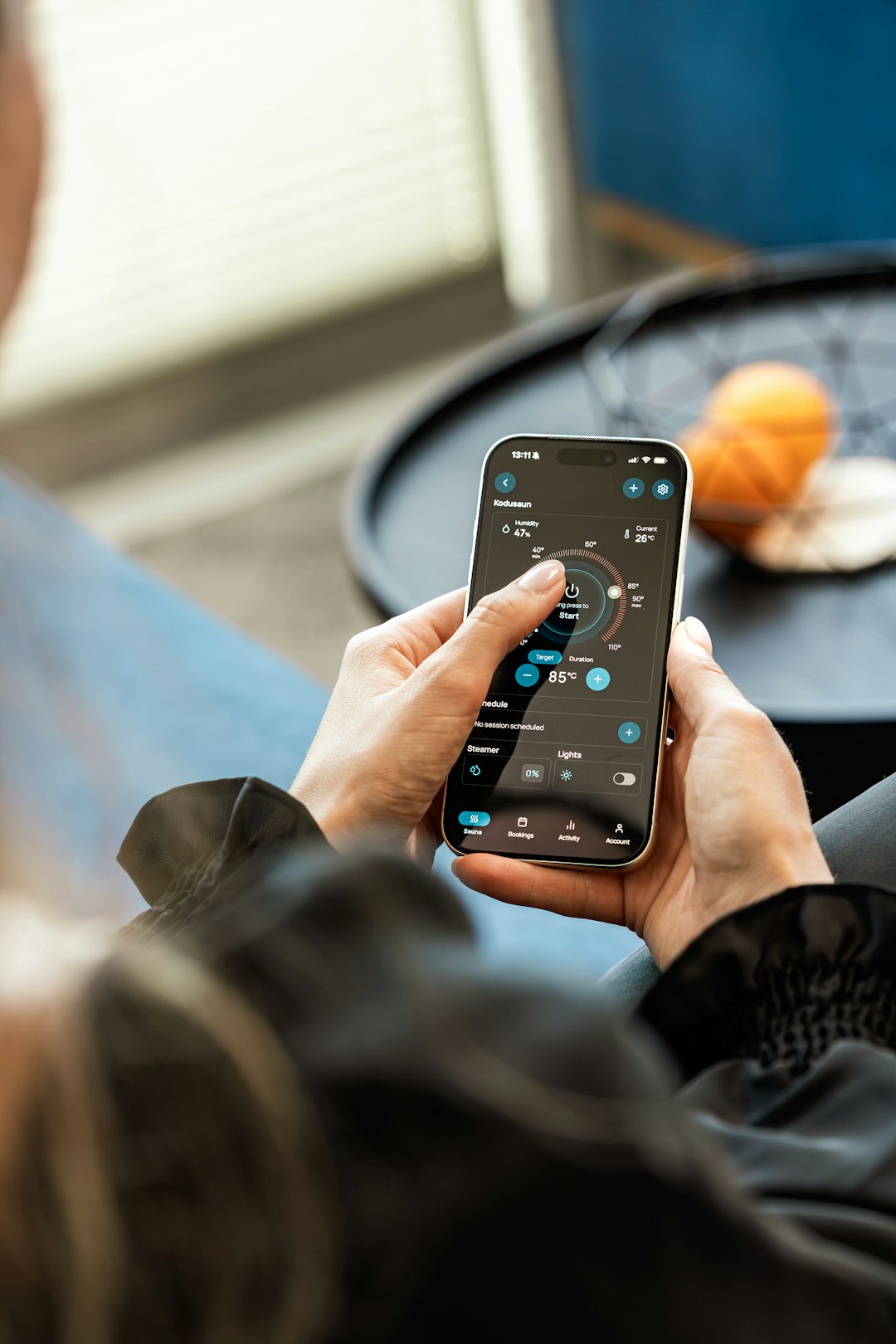
Apple may also bring more intelligence into routines. Your home could learn simple habits. Not in a creepy way. More like this: if you turn on the porch light every night at 7, the Home app suggests an automation.
Best way to start
Start small. Buy one hub and two or three accessories.
A smart plug is the easiest test. A motion sensor is the most fun. A smart lock is the most useful. Smart bulbs are the fastest “wow” moment.
Pick devices that support Apple Home, HomeKit, or Matter. Keep the boxes until setup works. Trust me on that one.
Apple’s smart home plan is not about flashy robots. It is about small wins. Lights that behave. Doors that lock. Rooms that feel ready before you ask. When it works, it feels like magic. When it fails, unplug it, sigh once, and try again.

