
Choose ActiveCampaign if drip campaigns are your main growth engine; choose HubSpot if your drip campaigns must sit inside a full CRM, sales, service, and reporting system. Email still earns an average return of $36 for every $1 spent, so picking the right automation tool is not a tiny operations choice; it affects revenue, customer timing, and team sanity [source: Litmus].
TLDR: ActiveCampaign is usually better for behavior-based drip campaigns, lead nurturing, tagging, list segmentation, and quick automation testing. HubSpot is better when marketing emails need to connect tightly with CRM records, sales tasks, forms, landing pages, ads, and pipeline reports. For example, a 12-person SaaS team could use ActiveCampaign to send a 7-email trial sequence triggered by feature usage, while a 50-person B2B team might prefer HubSpot to track how those emails influence $250,000 in pipeline. If your main goal is smarter email timing, ActiveCampaign wins; if your goal is one shared customer database, HubSpot wins.
How the two platforms feel when building drip campaigns
ActiveCampaign feels like an automation workshop. You start with triggers, goals, tags, waits, conditions, site visits, form fills, purchases, and email actions. The workflow builder is crisp. It encourages you to think in branches: if someone clicks, do this; if they ignore three emails, do that; if they visit the pricing page twice, alert sales.
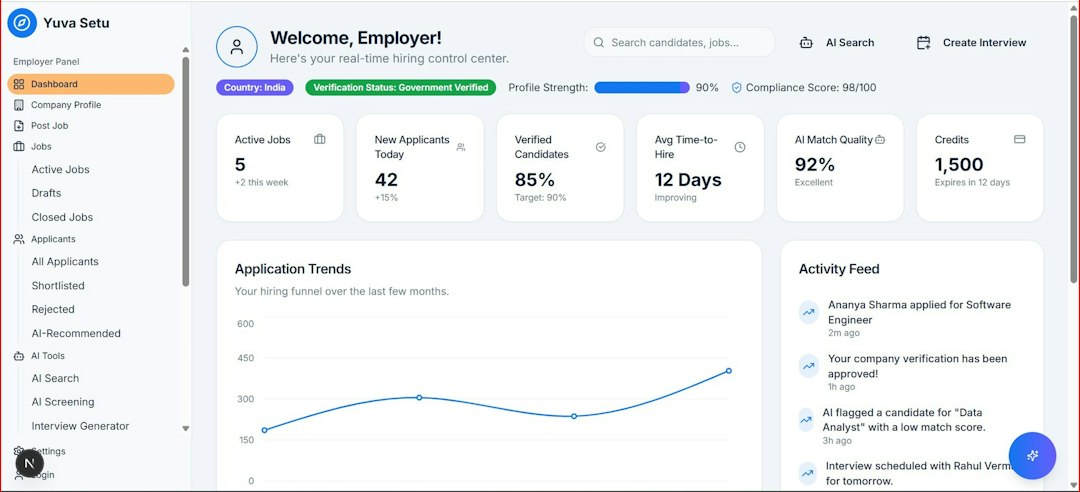
HubSpot feels like a marketing command center. Drip campaigns are only one part of the system. You can connect emails to forms, lists, lifecycle stages, deals, calls, tickets, ads, dashboards, and sales outreach. That is useful. It can also feel like a lot when all you want is a clean welcome sequence.
Automation builder: ActiveCampaign is faster for email-first work
ActiveCampaign’s automation builder is one of its best features. It handles simple and complex drip campaigns without making you click through five different product areas. You can build:
- Welcome sequences for new subscribers
- Lead magnet follow-ups based on form submissions
- Product education drips after signup
- Abandoned cart flows for ecommerce
- Re-engagement campaigns for cold contacts
- Sales handoff automations when a lead scores high enough
The trigger and action menu is broad, but not buried. That matters when you are editing campaigns every week. Honestly, it feels like ActiveCampaign was built by people who knew marketers would keep changing their minds at 4:40 p.m. on a Thursday.
HubSpot’s workflow tool is polished too, especially in the Professional and Enterprise tiers. It supports if/then branches, enrollment triggers, suppression lists, internal notifications, lead rotation, lifecycle updates, and deal changes. The issue is not power. The issue is route length. Expect to waste time on small setup choices if your team has not cleaned up properties, lists, lifecycle stages, and forms first.
Segmentation and personalization
ActiveCampaign is excellent for segmentation. Tags are easy to apply, stack, remove, and use inside automations. You can segment contacts by email behavior, site activity, purchase data, custom fields, engagement level, and lead score. This makes drip campaigns feel more personal without needing a huge data team.
For example, a small course creator could tag contacts as interested in pricing, watched webinar, and clicked curriculum link. A drip can then send different emails to each group. The pricing-click group might get a payment plan email. The webinar group might get a replay and objection-handling email.
HubSpot segmentation is more structured. Lists, properties, forms, lifecycle stages, and CRM activity all work together. This is great in a B2B sales process. A lead can move from subscriber to marketing qualified lead, then sales qualified lead, then opportunity. Every email can respond to that status.
The catch is that HubSpot works best when your data model is tidy. If your lifecycle stages are a mess, your drips will be messy too. It drives me crazy that teams often blame HubSpot for this when the real problem is five years of random fields named almost the same thing.
Email editor and content creation
Both tools offer drag-and-drop email builders. ActiveCampaign’s editor is practical. It is good for newsletters, lead nurturing, transactional-style messages, and ecommerce promos. It does not try to be fancy. That is a good thing for many teams.
HubSpot’s email editor feels more connected to the rest of your marketing machine. You can pull in personalization tokens, smart content, CTAs, files, blog content, and CRM fields. For brand-heavy teams, HubSpot can feel more controlled.
If you care most about plain-text style emails that feel personal, both tools can do the job. If your emails need to match landing pages, sales pages, ad campaigns, and reporting dashboards, HubSpot has the stronger content system.

CRM fit and sales handoff
ActiveCampaign includes CRM features, pipelines, deal records, tasks, and sales automation. For small teams, this can be enough. A lead clicks a demo link, gets a score bump, enters a pipeline, and creates a task for sales. Clean and useful.
HubSpot is stronger when sales alignment matters. Its CRM is deeper, more widely adopted, and easier for sales managers to trust. Email engagement, calls, meetings, forms, deals, and notes all sit under one contact record. A sales rep can see the whole story before reaching out.
This is where HubSpot often wins for B2B companies. Drip campaigns are not isolated. They support pipeline creation, deal acceleration, customer onboarding, and renewal campaigns.
Reporting: campaign metrics vs revenue view
ActiveCampaign gives marketers the core numbers they need: opens, clicks, automation performance, goal completions, contact trends, attribution options, and ecommerce reporting through integrations. For email-first teams, it is enough and usually easy to read.
HubSpot reporting goes wider. You can connect email activity to landing pages, sources, contacts, companies, deals, revenue, and sales activity. That is useful when leadership asks, “Which sequence created sales pipeline?” not just “Which email got clicks?”
A practical example: an ActiveCampaign report might show that Email 3 in a trial nurture sequence has a 14% click rate. HubSpot can show that contacts who clicked that email created 18 deals worth $96,000. Both insights matter. One is campaign-focused. The other is business-focused.
Integrations and ecosystem
ActiveCampaign connects well with ecommerce, webinar, form, payment, and membership tools. It works nicely with Shopify, WooCommerce, Zapier, Calendly, Typeform, and many course platforms. It is a strong pick when your tech stack is mixed and email automation sits at the center.
HubSpot’s ecosystem is broader because HubSpot wants to run marketing, sales, service, content, and operations in one place. That can reduce tool sprawl. It can also raise switching costs. Once your forms, landing pages, emails, CRM, tickets, and reports live inside HubSpot, moving away is not fun.
Pricing and team fit
ActiveCampaign is often more attractive for small businesses, creators, consultants, ecommerce brands, and SaaS startups that need smart automation without buying a full business suite. As your contact list grows, costs can rise, but the value stays strong if automation drives revenue.
HubSpot can get expensive as you add advanced workflows, reporting, teams, custom objects, and higher-tier marketing features. Still, for companies that need one system of record, the cost can be justified. Paying more hurts less when the platform replaces several tools and reduces handoff chaos.

Best use cases for ActiveCampaign
- Solo creators selling courses, downloads, coaching, or memberships
- Ecommerce brands sending cart, win-back, and post-purchase drips
- SaaS startups building trial onboarding and feature education
- Agencies managing many email-first client campaigns
- Small teams that want deep automation without CRM bloat
Best use cases for HubSpot
- B2B companies with sales teams and longer buying cycles
- Marketing teams that need landing pages, forms, ads, and CRM in one system
- Sales-led organizations that care about lifecycle stages and pipeline attribution
- Customer success teams running onboarding and renewal drips
- Companies with clean CRM processes and the budget to support them
Final verdict
ActiveCampaign is the better drip campaign builder for most email-focused teams. It is quicker to set up, easier to adjust, and excellent at behavior-based automation. If your campaign logic includes tags, clicks, visits, scores, purchases, and branching paths, it feels natural.
HubSpot is the better choice when drip campaigns are part of a larger revenue system. It connects email activity to CRM data, sales actions, lifecycle stages, and pipeline reporting. That makes it stronger for companies where marketing and sales need to work from the same record.
If you are still unsure, ask one question: Are we buying an email automation tool, or are we buying a customer platform? If the answer is email automation, pick ActiveCampaign. If the answer is customer platform, pick HubSpot.

