
Business process monitoring is the practice of continuously tracking how work moves through an organization, from customer orders and invoice approvals to IT support tickets and supply chain updates. Instead of waiting for monthly reports or customer complaints, monitoring gives teams a live view of performance, bottlenecks, exceptions, and outcomes. When done well, it turns everyday operations into measurable, improvable systems.
TLDR: Business process monitoring helps companies see whether key workflows are running on time, within budget, and at the expected quality level. For example, a finance team might monitor invoice approvals and discover that 37% of delays happen when approvals sit with one department for more than three days. By combining dashboards, alerts, process mining, and automation, businesses can reduce cycle times, prevent errors, and improve customer experience. The best strategies focus on a few meaningful metrics rather than tracking everything.
What Business Process Monitoring Actually Means
At its core, business process monitoring is about observing work as it happens. A process may be simple, such as approving a vacation request, or complex, such as fulfilling an international order involving sales, inventory, logistics, compliance, and billing. Monitoring helps answer practical questions: Where is the work stuck? Who needs to act? Are service levels being met? Is the process producing the intended result?
Unlike traditional reporting, which often looks backward, process monitoring is more dynamic. It can show live status, trigger alerts, and even start automated actions when certain conditions are met. This is especially important in businesses where small delays create large consequences, such as healthcare scheduling, banking compliance, ecommerce fulfillment, or manufacturing maintenance.
Why Monitoring Matters
Organizations often assume their processes are working because tasks eventually get completed. But completion is not the same as efficiency. A customer refund may be issued, but if it takes 18 days instead of 3, the process is damaging trust. A purchase order may be approved, but if approvals require five unnecessary handoffs, the company is wasting time and money.
Effective monitoring helps teams:
- Detect bottlenecks before they become major delays.
- Improve accountability by clarifying ownership at each step.
- Measure service levels against internal or customer-facing commitments.
- Reduce operational risk by identifying compliance gaps and unusual activity.
- Support continuous improvement with data instead of assumptions.
Perhaps most importantly, monitoring encourages a shift from reactive management to proactive operations. Instead of asking, “What went wrong last quarter?” teams can ask, “What is starting to go wrong today?”
Key Metrics to Track
The right metrics depend on the process, but several are useful across many industries. The goal is not to track every possible number. The goal is to choose metrics that reveal whether the process is fast, reliable, cost-effective, and aligned with business goals.
- Cycle time: The total time it takes to complete a process from start to finish. For example, the time from receiving an order to delivering it.
- Lead time: The time between a customer request and final fulfillment, often used in customer-facing workflows.
- Throughput: The number of items, cases, orders, or requests completed in a given period.
- Error rate: The percentage of work that requires correction, rework, or escalation.
- First pass yield: The percentage of tasks completed correctly the first time without rework.
- Cost per transaction: The average cost of completing one instance of a process.
- SLA compliance: The percentage of cases completed within agreed service-level targets.
- Exception rate: The number of process instances that fall outside normal rules or expected paths.
For example, a customer support team may discover that its average ticket resolution time is 22 hours, which looks acceptable. However, by monitoring exception rate, the team may find that 12% of tickets take longer than four days. That smaller group could be responsible for most negative reviews.
Common Tools for Business Process Monitoring
Modern monitoring typically combines several types of tools. Some focus on visibility, while others help analyze, automate, or optimize processes.
- Business process management platforms: These tools model, execute, and monitor workflows. They are useful for structured processes such as approvals, onboarding, claims handling, and procurement.
- Process mining tools: These analyze event logs from systems such as ERP, CRM, and help desk platforms to reveal how processes actually happen, not just how they are supposed to happen.
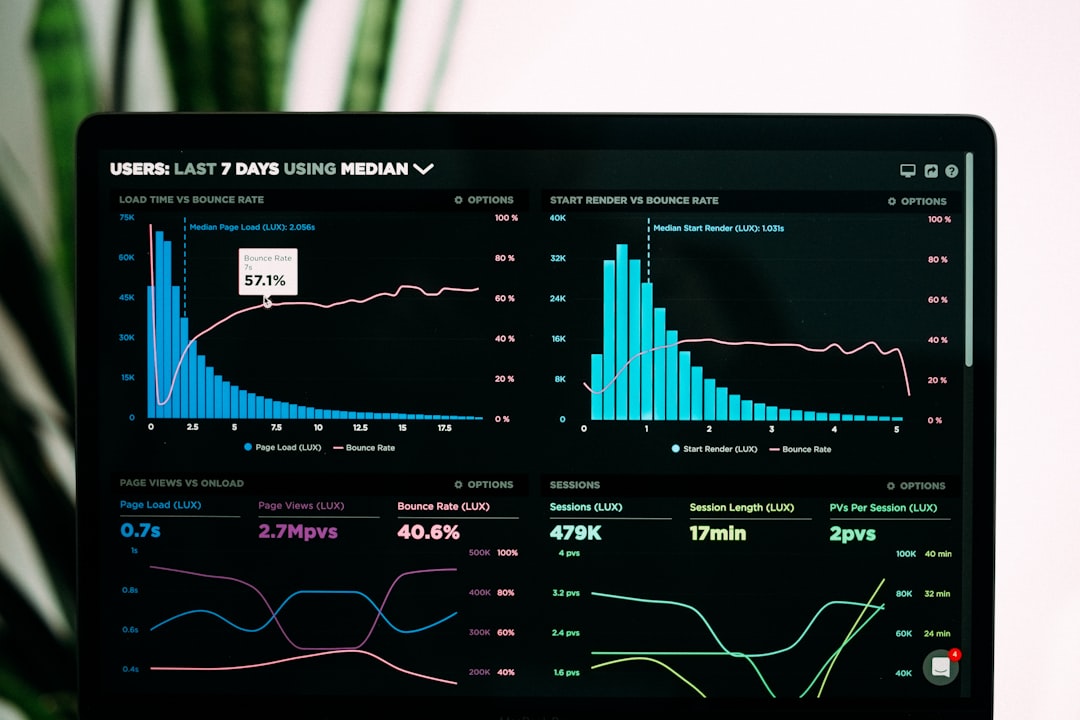
- Business intelligence dashboards: BI tools turn process data into charts, scorecards, and trend reports for managers and executives.
- Application performance monitoring tools: These are especially useful for digital processes, tracking system uptime, transaction speed, API failures, and user experience.
- Robotic process automation platforms: RPA tools automate repetitive tasks and can also report on task completion, errors, and processing volumes.
The most effective setup usually integrates data from multiple systems. A sales order process, for instance, might require inputs from a CRM, inventory system, payment gateway, warehouse platform, and accounting software.

Examples of Business Process Monitoring in Action
Ecommerce fulfillment: An online retailer monitors the journey from checkout to delivery. Metrics include payment confirmation time, warehouse picking time, shipping label creation, dispatch delay, and delivery success rate. If orders remain in “ready to pack” status for more than two hours, supervisors receive an alert.
Employee onboarding: A human resources team tracks each step of onboarding, including document collection, background checks, equipment requests, account creation, and training completion. Monitoring helps ensure new employees are ready on day one rather than waiting for laptops, system access, or compliance training.
Invoice processing: A finance department monitors invoice receipt, data validation, approval routing, payment scheduling, and exceptions. If duplicate invoices rise above 2% or approval time exceeds five business days, the system flags the issue for review.
IT incident management: An IT team tracks open tickets, escalation paths, response times, resolution times, and recurring incidents. Monitoring can reveal that password reset tickets are consuming 20% of support capacity, making them a strong candidate for self-service automation.
Automation Strategies That Make Monitoring More Powerful
Monitoring shows what is happening; automation helps do something about it. The strongest automation strategies connect visibility with action.
- Automated alerts: Notify the right person when a threshold is crossed, such as a delayed shipment, failed payment, or overdue approval.
- Rule-based routing: Send work to the correct team based on value, location, risk level, customer type, or urgency.
- Exception handling: Automatically separate unusual cases from standard ones so specialists can focus on complex issues.
- Self-healing workflows: Restart failed jobs, retry API calls, or reassign stalled tasks without manual intervention.
- Predictive analytics: Use historical data to forecast delays, demand spikes, or resource shortages before they happen.
A practical approach is to start with the most repetitive and measurable steps. For instance, if 70% of vendor invoices follow the same approval path and require no special review, those invoices can often be validated, routed, and scheduled automatically. Human attention can then shift to high-value exceptions.
Best Practices for Getting Started
Many companies make the mistake of buying tools before defining what they need to improve. A better path starts with process clarity.
- Choose one high-impact process. Start with a workflow that affects revenue, customer experience, compliance, or cost.
- Map the current process. Document the real steps, systems, handoffs, delays, and decision points.
- Select meaningful metrics. Pick five to seven indicators that clearly show performance and risk.
- Set thresholds. Define what counts as normal, warning, and critical performance.
- Create role-based dashboards. Executives, managers, and frontline teams need different levels of detail.
- Review and improve regularly. Monitoring is not a one-time project; it is an ongoing management discipline.
Final Thoughts
Business process monitoring is not just about dashboards or software. It is about building a more aware organization, one that understands how work flows, where value is created, and where friction appears. With the right metrics, tools, and automation strategies, companies can move faster, reduce waste, and deliver more consistent results.
The best monitoring programs begin small but think systematically. Start with one process, measure it well, automate where it makes sense, and use the results to guide the next improvement. Over time, this creates a culture where operations are not hidden inside departments but visible, measurable, and continuously improving.

